

How To: Change your password on an Execulink Router
December 2, 2015 Category: Pop Culture
Click here to see Execulink’s Home Internet options
In an earlier blog post entitled How To: Monitor Internet Usage & Avoid Overage Charges, we stressed how important a strong Wi-Fi password is for security and protecting your monthly usage. Today we are going to show you how to change this password.
If you rent a wireless router (or a modem with wireless capabilities) from Execulink, you are able to change many settings from your MyExeculink portal – including changing your Wi-Fi password. Below is a step by step process of how to change your Wi-Fi password on an Execulink modem/router.
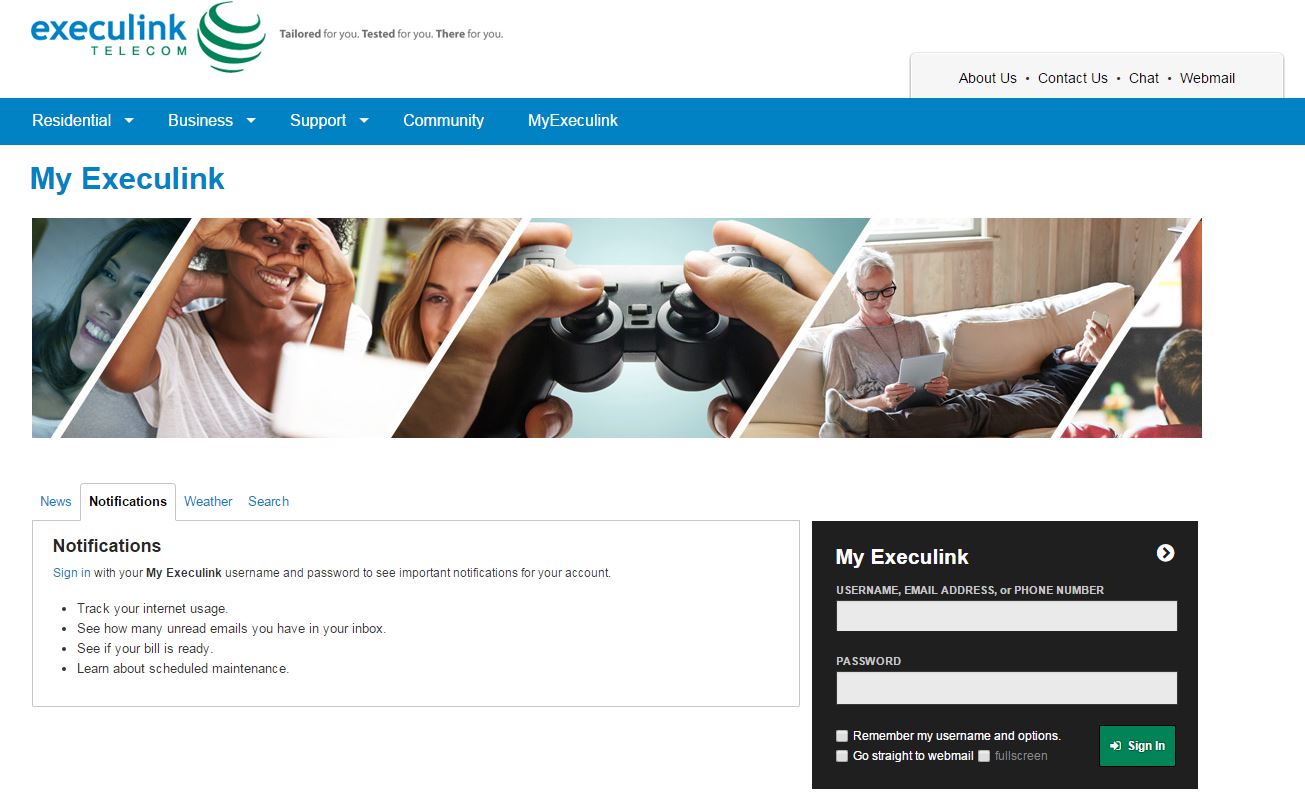
Step 1: Log in to MyExeculink.
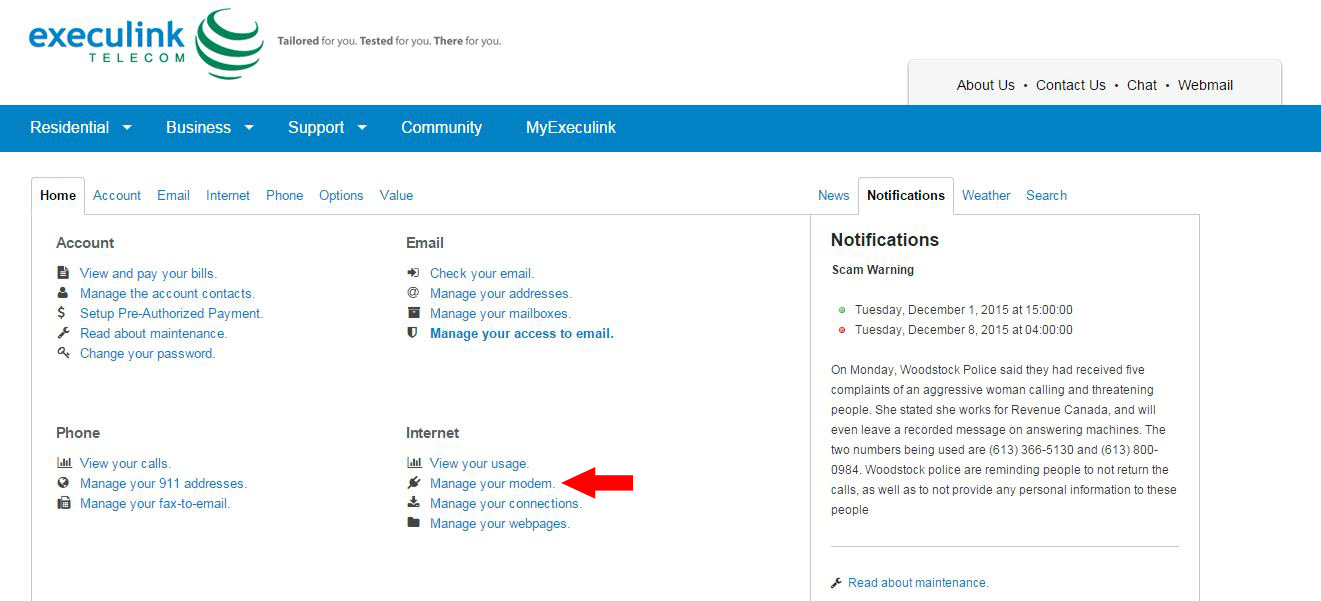
Step 2: Under Internet, click Manage Your Modem
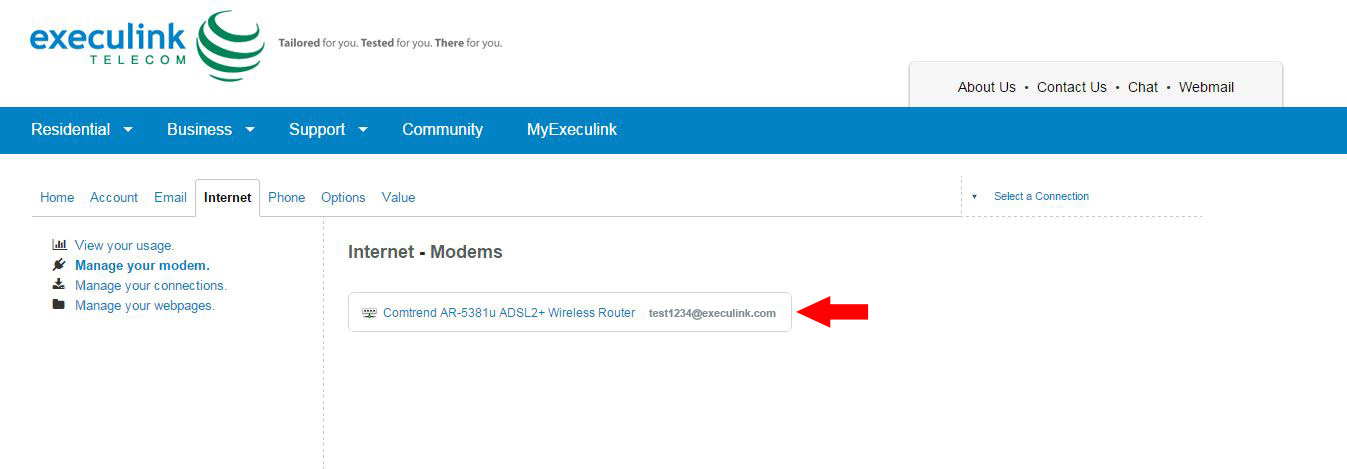
Step 3: Click on the appropriate modem
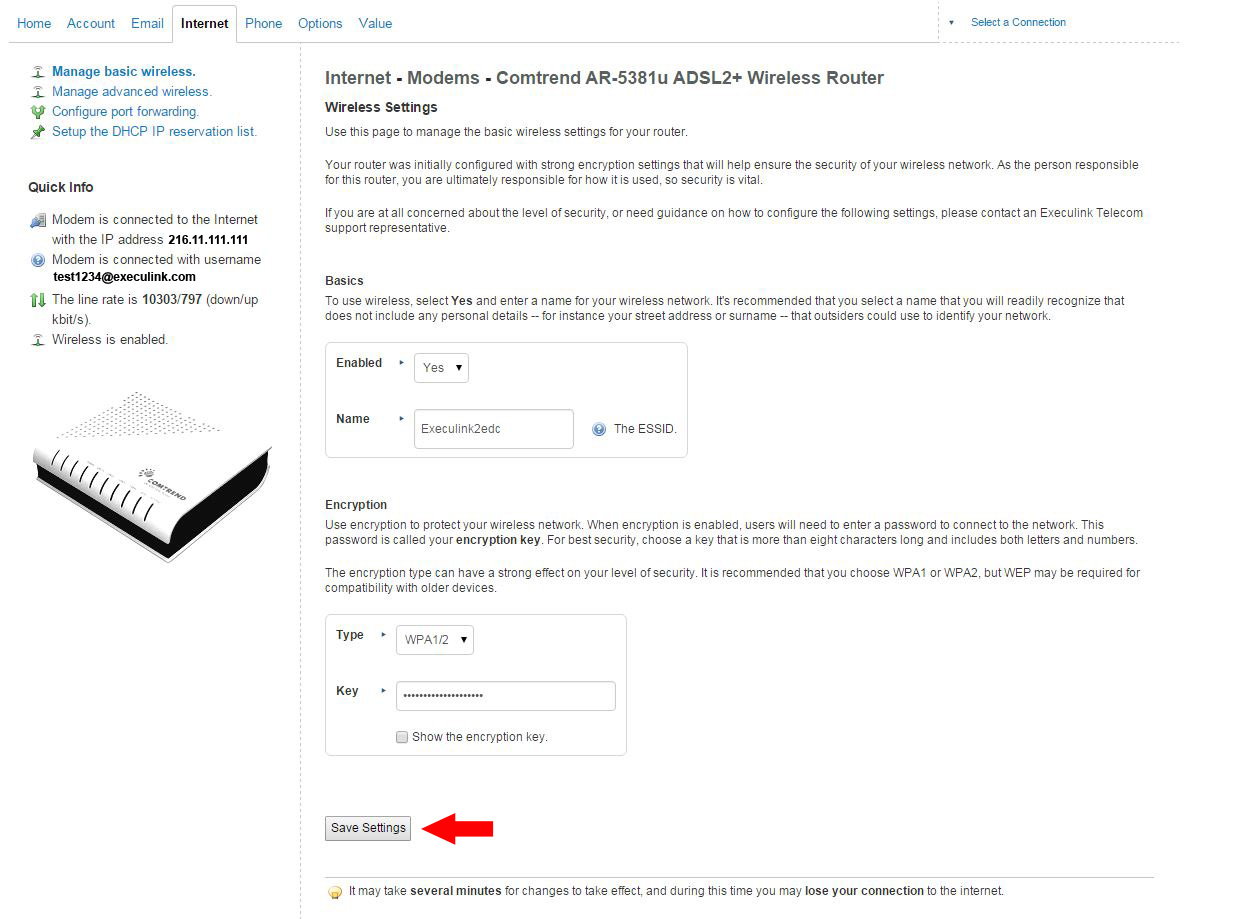
Step 4: On this page you will see options to change your Wi-Fi password
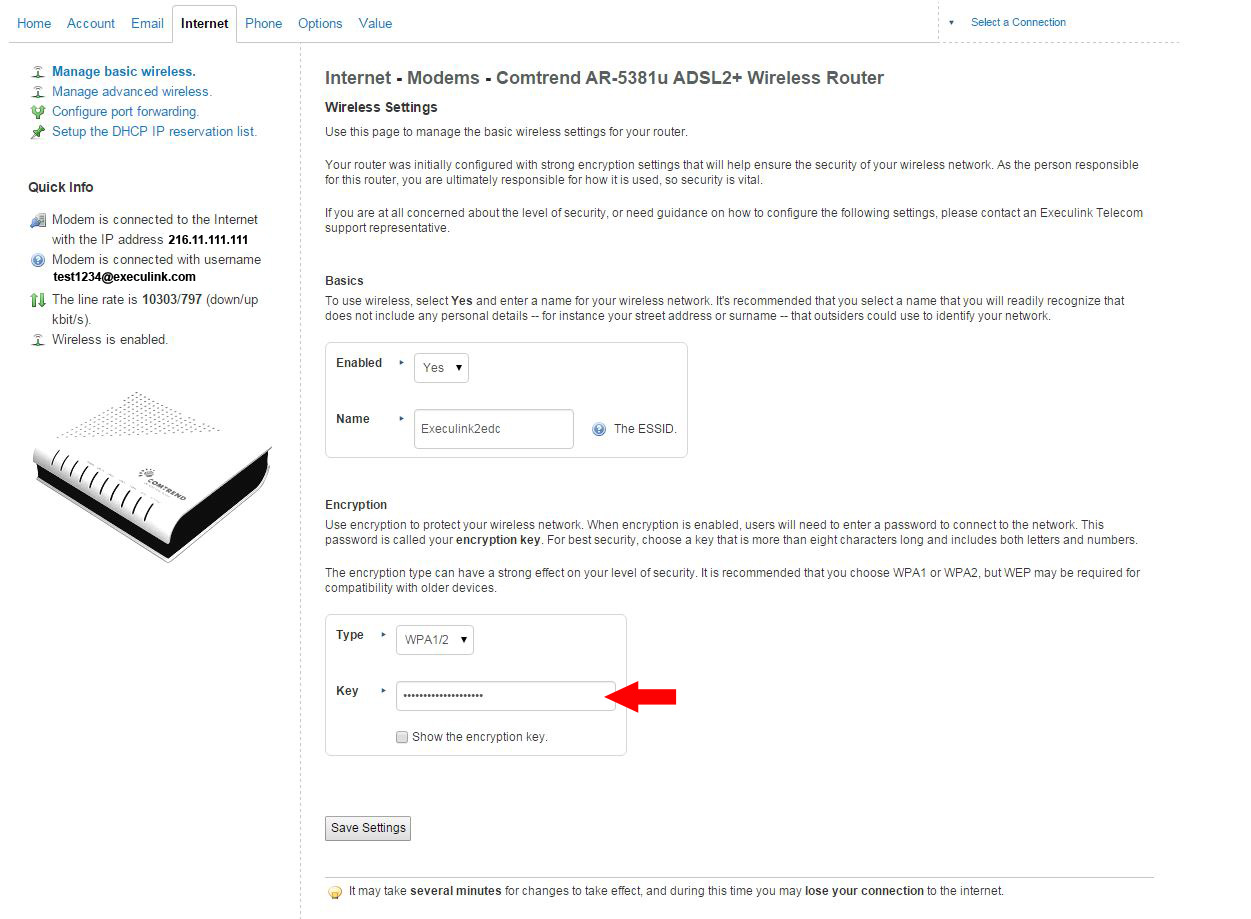
Step 5: Enter a new password and click Save Settings
Now that you know how to change your Wi-Fi password, make sure it is not too obvious and includes enough special characters to make it impossible to figure out. For more tips and tricks on passwords, click here.
To watch the video on how to Change your Password on an Execulink Router see below.