Your Perfect Mobility Plan Starts Here – Take the 5 Question Quiz!

Choosing a mobility plan doesn’t have to feel like guessing at a buffet you’ve never eaten at before. Instead of asking “What’s the best plan?”, let’s flip the question: What kind of mobile user are you?

If you find yourself mostly scrolling socials at home, streaming your favourite show on the go, or just want to stay in touch with loved ones, this quick and easy self-scoring quiz will help you figure out what kind of Mobility plan actually fits your day-to-day life.

No guesswork. No jargon. Just the right fit.

Step 1: Take the Quiz

Answer each question below and jot down the points for each of your answers. We’ll tally it all up at the end!

How often are you away from Wi-Fi?
Rarely — I’m mostly at home or work with Wi-Fi. (1 point)
A few times a week — I’m on the go, but not always using data. (2 points)
Almost every day — I rely on mobile data a lot. (3 points)

What do you use your mobile data for most?
Email, maps, light browsing. (1 point)
Social media, music, and video calls. (2 points)
Streaming videos, gaming, or remote work. (3 points)

How often do you call or text?
Not often — just quick check-ins. (1 point)
A few times a day. (2 points)
Constantly — for work, family, and everything in between. (3 points)

How often do you travel or leave your home region?
Almost never — I stick close to home or work. (1 point)
A few times a year — weekend trips, visits to family, or the occasional getaway. (2 points)
Often — I travel regularly across provinces or internationally and want to stay connected without surprises. (3 points — you’re a great fit for Roam Everywhere!)

What’s your vibe when it comes to mobility features?
Keep it simple — just the basics, please. (1 point)
I like a bit of everything, but don’t need the fanciest options. (2 points)
I want it all — fast data, reliable coverage, and room to roam. (3 points)

Step 2: Tally Your Score

Add up your points from all five questions.

What Your Score Says About You:

5–8 Points: The Light User
You’re all about simplicity. You rely on Wi-Fi and use your phone for the essentials. A low-data or talk-and-text plan is your best bet, and there’s no need to overpay for features you won’t use.

Try: Execulink’s affordable Talk + Text or 2 GB options.


9–13 Points: The Balanced User
You use your phone consistently and need some data flexibility, but not a massive plan. A 5–10 GB plan gives you the right balance of browsing, calling, and the occasional stream.

Try: Execulink’s sweet-spot 6 GB and 10 GB plans with data-sharing options.


14–15 Points: The Power User
Your phone is your lifeline; whether it’s for streaming, working remotely, or staying connected while you’re out and about. You’ll want a 20–50 GB (or unlimited) plan with reliable coverage and room to roam.

Bonus: If you travel often, ask about Roam Everywhere; it keeps you connected across Canada and internationally in 170+ destinations without the bill shock!

Try: Execulink’s 20 GB plan built for real-life multitaskers.


Still Not Sure? We Can Help!

Our knowledgeable Sales Team can walk you through options based on your quiz results. Whether you’re a light user, a heavy scroller, or somewhere in between, Execulink Mobility has a plan that fits your lifestyle and your budget!


Why Your Home Needs a Quality Router

We often think of Internet speed as the main factor behind a good online experience—but your router is just as important. Whether you’re working from home, streaming your favourite show, gaming, or managing smart home devices, your router plays a critical role in keeping everything running smoothly.

So, if you’ve ever dealt with spotty Wi-Fi, slow speeds, or frustrating disconnects, read on—your router might be the key to solving it.

What Is a Router and Why Does It Matter?

Your router is the device that takes the Internet connection from your modem and distributes it to all your devices—either wirelessly or through cables. It’s like the central hub of your home network.

Without a router, you’d only be able to connect one device at a time. But with a router, your phone, laptop, smart TV, tablet, and more can all be online at once.

1. It Lets You Connect Multiple Devices Seamlessly

Most homes today have dozens of connected devices—everything from smartphones to smart fridges. A modern router ensures all these devices stay connected without interfering with each other.

What this means for you:

  • You can have multiple people streaming or gaming at once
  • Kids can do homework online while you attend a video meeting
  • Your smart lights and thermostats stay responsive

If your home Internet slows down when more people are online, your router may be the cause.

2. It Expands Your Wi-Fi Coverage

Weak Wi-Fi in certain rooms? That’s likely a router issue. Standard routers often struggle to reach upper floors, basements, or far corners of the house.

You can fix this by:

  • Moving your router to a central location
  • Avoiding placement behind large objects or metal appliances
  • Using a mesh Wi-Fi system for wider coverage

This is where Execulink’s Complete Wi-Fi can help—it includes mesh Wi-Fi technology that extends strong, reliable coverage to every room.

3. It Helps You Get the Speeds You’re Paying For

You may have subscribed to a fast Internet plan—but if your router isn’t equipped to handle those speeds, you won’t feel the difference.

  • Older or lower-quality routers can bottleneck your Internet, especially if:
  • You notice buffering when streaming in HD or 4K
  • Pages load slowly on newer devices
  • Video calls lag or freeze

If this sounds familiar, upgrading your router could be a simple fix.

4. It Boosts Security and Control

Routers aren’t just about speed—they also help protect your network. Modern routers come with:

  • Stronger encryption (WPA3)
  • Guest networks to separate visitors from your main devices
  • Parental controls to manage kids’ screen time
  • Built-in firewalls and automatic firmware updates

5. It Makes Your Life Easier (Less Buffering, Fewer Hassles)

If you’ve ever had to restart your router mid-Zoom call or shift rooms to get a better signal, you know how frustrating unreliable Wi-Fi can be. A quality router keeps your Internet steady, so you can focus on what you’re doing—not on fixing your connection.

6. Wi-Fi 6 allows more connected devices

Newer routers are Wi-Fi 6 enabled, which means that because of this newer technology, you’ll ultimately have a better online experience. Unlike older routers, Wi-Fi 6 will let you:

  • Have many devices simultaneously connected, with no congestion and slowdowns
  • Because there’s no slow downs, you’ll get the full speed of your Internet plan
  • Have better Wi-Fi signal distribution throughout your which will give you better reliability

Whether you’re a casual browser or managing a smart home full of devices, a good router can completely transform your online experience. It ensures smooth streaming, reliable connections, and security for all your devices.

If you’re not sure whether your router is holding you back—or you’re tired of troubleshooting—order a router from Execulink today or talk to a representative about our Complete Wi-Fi Solution, which includes a Wi-Fi 6 Premium Router for only $9.95/month. Complete Wi-Fi can help simplify the process, offers expert setup and ongoing support to keep your network running its best.

Stay Connected During Busy Season with Steve Tanner

What do businesses need most when things get busy?

For Steve Tanner, it always comes back to one thing—reliability. As a Relationship Manager at Execulink, Steve works with businesses across Ontario to make sure they stay connected during busy seasons and aren’t left scrambling when customer demand is at its peak.

With spring and summer bringing more foot traffic, patio season, and customer calls, Steve helps his clients plan ahead so they’re ready—not reacting. His goal is to make sure they stay connected during busy season, whether that means adding backup options or optimizing Wi-Fi coverage. In this Humans of Execulink feature, he shares the most common concerns he hears, small changes that make a big difference, and one story that shows how the right setup can save the day.


  1. What’s one of the most common things you hear from businesses when spring and summer get busy?

A: When spring and summer ramp up, the most common concern I hear from businesses is reliability. My customers need absolute confidence that their internet and phone services will keep pace without skipping a beat. When opportunities arise, seamless connectivity isn’t just convenience, it’s critical for capturing every dollar of business.


  1. What’s one simple thing businesses could check or adjust with their Internet or phone setup to avoid issues during busy times?

A: One straightforward step businesses can take to avoid connectivity headaches during peak periods is to ensure they have a redundant connection and a failover strategy in place. Outages are unpredictable, but having a backup ready can make the difference between minor inconvenience and major disruption—keeping your business running smoothly when it matters most.


  1. How do you work with businesses to make sure their setup — like Wi-Fi, phones, or Internet — is ready for things like patio season, events, or handling more customer calls?

A: As a Relationship Manager, regular communication is key—I’m always checking in and planning ahead with my customers. By consistently discussing their upcoming needs, from Wi-Fi coverage on busy patios to handling increased call volumes during events, we ensure they’re always prepared well before peak season arrives.


  1. If a business hasn’t reviewed their setup in a while, what are a couple of signs that it might be time for a check-in?

A: A sure sign it’s time to revisit your setup is when tasks that used to feel quick and effortless start slowing down—like file uploads taking noticeably longer or cloud software feeling sluggish. Another clear indicator is declining video or call quality during Teams or Zoom meetings. These issues can stem from aging infrastructure or simply because your business has grown beyond what your current solution can effectively support. Regular check-ins can catch these bottlenecks early, ensuring your team stays productive and connected.


  1. What advice would you give to a business owner who feels like they’re too busy to deal with phone or Internet problems until something breaks?

A: I’d remind any busy business owner of the classic saying, ‘a stitch in time saves nine.’ Addressing a minor inconvenience today is always quicker, easier, and far less costly than recovering from a full-blown outage tomorrow. Proactive attention to your phone and internet systems prevents small issues from escalating into major disruptions when you’re busiest —and that’s exactly when you need to stay connected during busy season.


  1. What’s one success story where a small change to a business’s Internet or phone setup made a big difference during their busy season?

A: One memorable success involved a customer who had recently added a VDSL failover to their primary internet connection. It turned out to be a timely decision—a particularly enthusiastic backhoe operator accidentally severed coax lines in the area just as their busy summer season kicked off. Thanks to their VDSL backup, the business smoothly continued operations without a hitch, keeping customers happy and revenue flowing uninterrupted while repairs took place. Sometimes, a simple backup strategy truly saves the day!


Want to learn more about how Execulink helps businesses stay connected during busy seasons? Explore our Business Internet and Voice Solution options.

Share the Love with Execulink’s Refer-A-Friend Program

At Execulink, we know that the best compliments come from our loyal customers who share their positive experiences with friends and family. That’s why we’ve created the Refer-A-Friend Program, making it easy for you to spread the word and get rewarded with $50!

How It Works

Getting started is simple! As an Execulink customer, you have access to a unique referral code that you can share with friends and family. Here’s how you can start earning rewards:

  1. Access Your Referral Code – Log into your MyExeculink account to find your unique code.
  2. Share Your Code – Send it to friends, family, neighbours—anyone who could benefit from fast and reliable Execulink Internet!
  3. Your Friend Signs Up – When your friend or family member uses your referral code to sign up for Execulink services, they must enter it at the time of their order.
  4. You Get Rewarded – Once your friend has had active service and paid two months of invoices, you will receive a $50 credit on your bill.
  5. No Limits! – You can share your code as many times as you want and earn multiple $50 credits!

Who Can Participate?

To ensure fairness and a smooth process, there are a few eligibility requirements:

Referrer Requirements

  • You must be a current residential or business customer.
  • Your Execulink account must be in good standing with no overdue balances.

Referee Requirements

  • Your friend or family member must use your referral code when placing their order.
  • They must be a new customer to Execulink, meaning they haven’t had an active Execulink service in the past 90 days.

Visit our Refer-a-Friend page to learn more and start sharing your code today!


How to Set Up Parental Controls and Manage Your Child’s Mobility Usage

As a parent, balancing your child’s screen time while keeping them safe online can feel overwhelming. With smartphones becoming an essential part of everyday life, it’s important to set boundaries that promote healthy digital habits. Thankfully, both iOS and Android offer built-in parental controls, and there are also great third-party apps that can help.

In this guide, we’ll walk you through how to limit screen time, filter content, and monitor data usage, so you can have peace of mind while your child stays connected!

  1. Set Screen Time Limits

Too much screen time can affect sleep, learning, and overall well-being. To help manage this:

For iPhone Users (iOS)

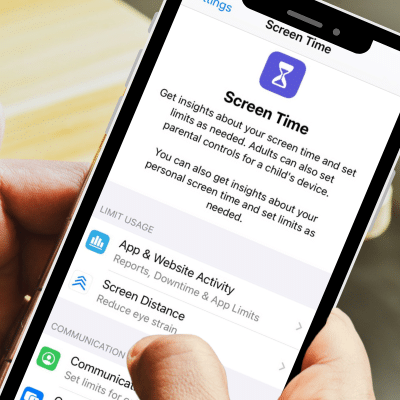
  • Go to Settings > Screen Time
  • Tap Turn On Screen Time and set a Downtime schedule
  • Use App Limits to restrict time spent on certain apps
  • Enable Communication Limits to control who they can contact

For Android Users

  • Open Settings > Digital Wellbeing & Parental Controls
  • Tap Dashboard to see time spent on each app
  • Set App Timers to limit daily usage
  • Enable Bedtime Mode to reduce screen time at night

Tip: Have regular family discussions about screen time rules to create a healthy digital routine.

  1. Filter Content and Block Inappropriate Websites

Protecting your child from inappropriate content is crucial. Both Apple and Google offer built-in content filtering tools:

For iPhone Users (iOS)

  • Go to Settings > Screen Time > Content & Privacy Restrictions
  • Tap Content Restrictions to block explicit content, apps, and web searches
  • Use Limit Adult Websites or allow only specific sites

For Android Users

  • Use Google Family Link to set up safe browsing
  • Open Settings > Google > Parental Controls to restrict content
  • Enable SafeSearch on Google Chrome to filter search results

Extra Protection: You can also install third-party apps like Net Nanny or Bark for extra content filtering.

  1. Monitor Data Usage and Avoid Overages

If your child has their own phone plan, keeping track of their data use can prevent overage charges. Here’s how:

Check Data Usage on iOS & Android

  • iPhone: Go to Settings > Cellular to see data usage by app
  • Android: Open Settings > Network & Internet > Data Usage

Set Data Limits

  • On iPhone, you can use Low Data Mode to reduce background data usage
  • On Android, go to Settings > Data Usage and set a Data Warning & Limit

Setting up parental controls and managing screen time doesn’t have to be complicated. By using the built-in tools on iOS and Android, along with the right Mobility plan, you can keep your child safe while allowing them to stay connected.

Are you looking for a family friendly way to stay connected? Execulink’s Shared Plan allows up to five users to share a pool of data, so everyone can browse, stream, and stay in touch without worrying about individual data limits. Plus, with Execulink, you’ll save $10 on the price for each additional user!

Start sharing and connecting safely today! Learn more about Execulink’s Mobility plans here!

10 Tips for a Clutter-Free Email Inbox

Spring is the perfect time to declutter—not just your home, but your digital life too! One of the biggest digital messes we all face? A cluttered email inbox. If you’re drowning in unread messages, struggling to find important emails, or feeling overwhelmed by newsletters, it’s time for an inbox refresh. Follow these steps to clean up your email and maintain a more organized inbox year-round.

1. Unsubscribe from Unwanted Emails   

Over time, we all end up on countless mailing lists. Take a few minutes to unsubscribe from emails you no longer find useful. Services like Unroll Me or built-in unsubscribe links at the bottom of emails can help you quickly remove yourself from mailing lists.

2. Delete or Archive Old Emails

Go through your inbox and delete anything that’s outdated, unnecessary, or irrelevant. If you don’t want to delete something but don’t need it cluttering your inbox, move it to an archive folder for future reference.

3. Create Folders and Labels

A well-organized inbox is much easier to navigate. Set up folders or labels for different categories, such as Work, Personal, Bills & Receipts, or Travel. This way, important emails are always easy to find.

4. Use Email Filters & Rules

Automate your inbox by setting up filters. Most email providers allow you to create rules that automatically move emails from specific senders or with certain keywords into designated folders. This helps prevent your primary inbox from becoming overcrowded.

5. Prioritize Important Emails

Flag or star emails that require immediate attention and review emails you’ve previously flagged or stared.

6. Empty the Spam & Trash Folders

Make sure to check your Spam and Trash folders periodically and empty them out. Some important emails may have ended up in spam, so it’s worth scanning before permanently deleting.

7. Limit Your Email Checking Habit

One way to keep your inbox tidy is to reduce how often you check your emails. Set specific times during the day to go through your inbox instead of constantly refreshing and letting messages pile up.

8. Use a Secondary Email for Sign-Ups

To keep your primary inbox clean, consider using a secondary email address when signing up for newsletters, online stores, or promotions. This keeps unnecessary emails out of your main inbox while still allowing you to access them if needed.

9. Delete Attachments You No Longer Need

Large email attachments take up storage space. If your email service has a storage limit, search for emails with attachments and delete or save them to cloud storage instead.

10. Keep Up with Regular Inbox Maintenance

Cleaning out your inbox once is great, but keeping it organized requires regular maintenance. Set a reminder to do a quick clean-up every month so emails don’t pile up again.


A decluttered inbox can reduce stress, increase productivity, and make finding important emails easier. Take some time today to tidy up your inbox, and enjoy a fresh digital start this season!

The Ultimate Smart Home Glossary: Breaking Down the Basics!

Smart Home technology can feel overwhelming at times with all its technical jargon. But don’t worry, we’re here to break it down in a fun and easy way! If you’re a first-timer or just looking to level up your setup, mastering these key terms will have you feeling like a pro in no time!

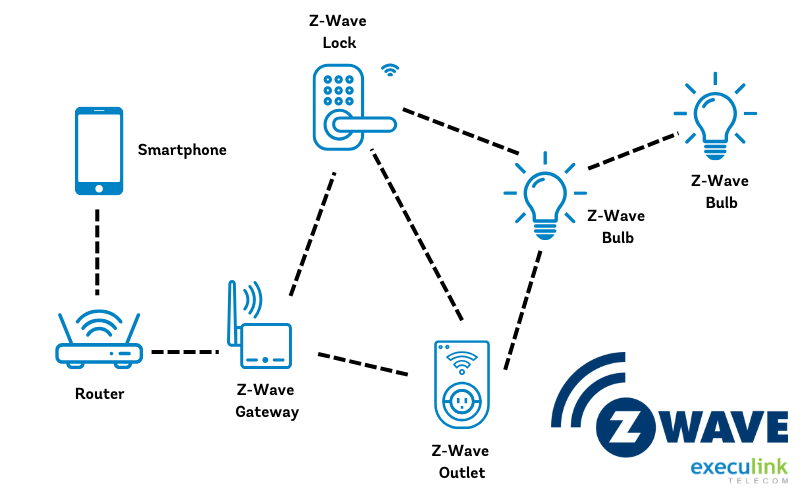
Z-Wave

Ever wonder how your smart devices communicate without Wi-Fi? That’s where Z-Wave comes in! It’s a wireless technology that connects compatible Smart Home devices like door locks, thermostats, and sensors through a low-energy radio wave. Unlike Wi-Fi, it won’t clog up your internet and has a longer range than Bluetooth. Translation: smoother, more reliable connections for your Smart Home!

Geofencing

When you leave or arrive home, wouldn’t it be great if your Smart Home automatically adjusted to your routine? Geofencing does just that by creating a virtual boundary around your home using your phone’s location. Once you cross that boundary, your Smart Home can trigger actions like turning on the lights, adjusting the thermostat, or even unlocking the door!

IFTTT (If This, Then That)

Think of IFTTT as the magic formula for Smart Homes. It allows different devices and apps to work together based on triggers and actions. For example, “If the front door opens, then turn on the hallway light.” It’s like setting up a chain reaction to make life easier and more efficient! Setting up these rules is simple with the Execulink Smart Home App, giving you full control at your fingertips.

Video Analytics

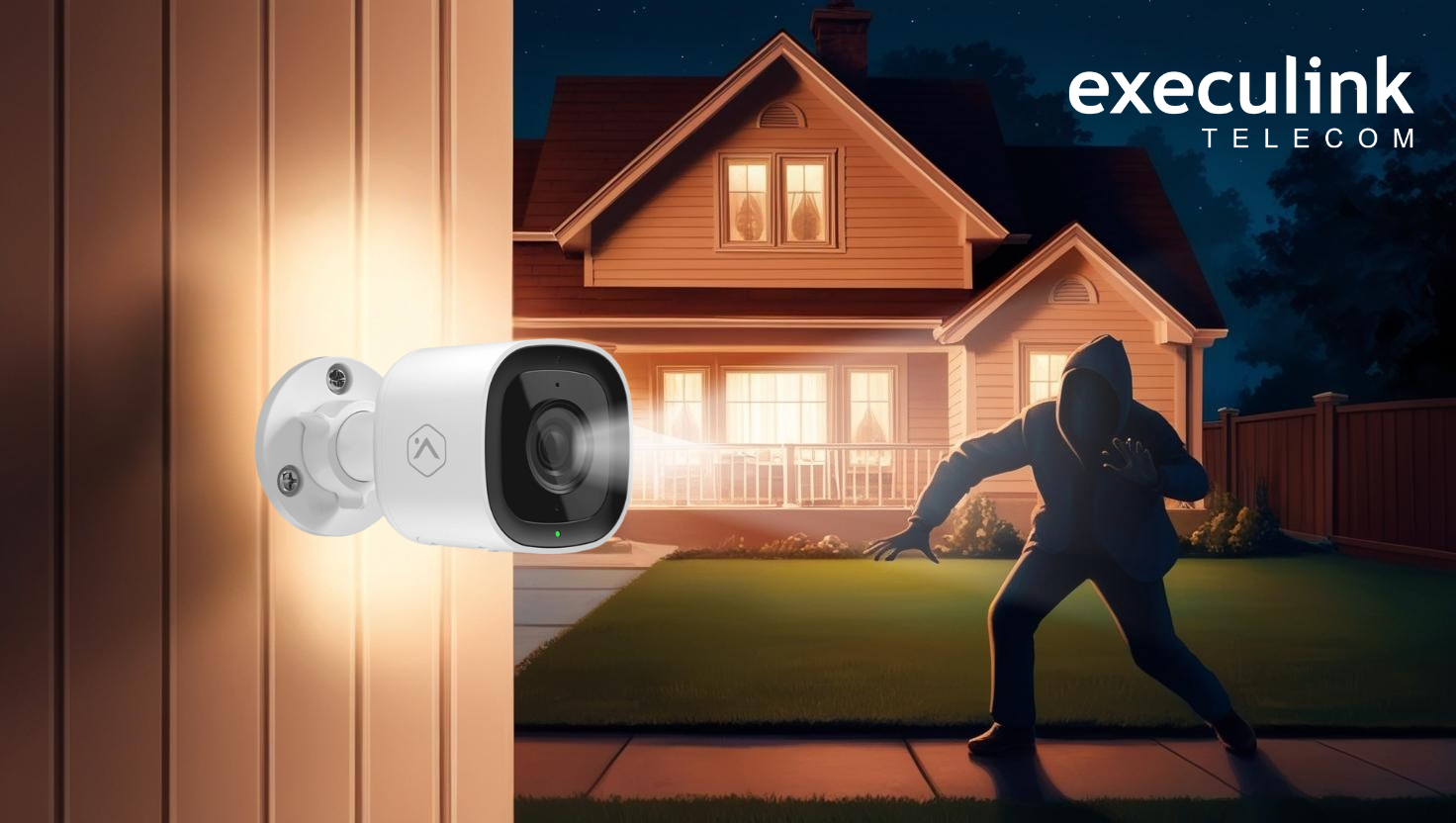
Video Analytics takes your security cameras to the next level by analyzing motion patterns to identify unusual activity. It can even differentiate between animals, people, and vehicles, ensuring that you only get alerts for relevant events. Whether it’s a visitor, an intruder, or even a delivery, these smart alerts help you stay informed and in control, all through the Execulink Smart Home App.

Perimeter Guard™

Exclusive to Execulink Smart Home, Perimeter Guard™ is an advanced security feature that helps deter unwanted visitors. Using Video Analytics, your cameras can detect motion and trigger an alert with flashing LED lights and a loud sound. It’s like having a virtual security guard watching over your home!

Smart Hub

The Smart Hub (or Smart Gateway as we call it) is the brain of your Smart Home. It connects all your devices and lets them communicate with each other. If you have a dedicated hub or a smart speaker like Google Home, this is the key to making all your automation work seamlessly!

Getting the hang of these Smart Home terms makes it easier to set up and fine-tune your home tech, whether you’re just starting out or upgrading. Curious to see how it all works? Explore Execulink’s Smart Home solutions and make home automation a breeze!

The Unexpected Perks of Having a Home Phone (That You’ll Actually Love!)

In a world where mobile phones dominate, you might be wondering, do I really need a home phone? The answer will surprise you! While many see home phones as a thing of the past, Execulink’s Home Phone service offers unique benefits that make it a smart and reliable choice for any household.

Here are some unexpected perks that might make you rethink the humble home phone.

  1. No More Dead Batteries or Dropped Calls

Unlike mobile phones, a home phone is always ready to go – no charging required! Plus, with Execulink’s crystal-clear call quality, you won’t have to deal with spotty service or dropped calls, making it perfect for important conversations.

  1. A Lifeline in Emergencies

Did you know that having a home phone gives you reliable access to 911, even during a power outage*? When seconds matter, you want a connection you can count on.

  1. The Ultimate Spam Call Blocker

Mobile phones are constantly bombarded with telemarketing calls and spam texts. With home phone service, you get a quieter, more peaceful calling experience, without those annoying interruptions.

  1. Easy for the Whole Family

From kids calling grandparents to elderly family members staying connected, a home phone is simple and familiar for all ages. No need to worry about forgotten passwords, touchscreen confusion, or complicated apps!

  1. Affordable & Worry-Free

With plans starting at just $9.95/month, Execulink’s Home Phone plans are a cost-effective way to stay connected without breaking the bank. You can choose from flexible long-distance options, paying as you go at just 3¢ per minute, or opting for a monthly plan with unlimited local calling. If you are looking to connect with family or friends abroad, Execulink’s competitive international long-distance rates make it easier and more affordable to stay in touch.


While mobile phones are convenient, a home phone offers a level of reliability, clarity, and simplicity that’s hard to beat. With Execulink’s affordable plans and awesome features, it’s easier than ever to enjoy the best of both worlds.

Ready to experience the perks of a home phone? Check out Execulink’s Home Phone plans today!


*Backup power may be required for service during outages.

Fun & Easy At-Home STEM Activities for March Break

March Break is the perfect time for kids to explore and learn through hands-on STEM activities! Whether they love science, technology, engineering, or math, these fun and interactive projects will keep young minds engaged while fostering creativity and problem-solving skills. Best of all, these activities use common household materials, making them easy for parents and kids to enjoy together.

  1. Baking Soda & Vinegar Volcano 🌋

What You’ll Need:

  • ½ cup baking soda
  • 1 cup vinegar
  • Dish soap (a few drops)
  • Food colouring (optional)
  • Empty plastic bottle or cup
  • Tray or large plate (to catch spills)

Instructions:

  1. Place the plastic bottle on the tray.
  2. Add ½ cup of baking soda into the bottle.
  3. Add a few drops of dish soap and food colouring.
  4. Pour in 1 cup of vinegar and watch the “lava” erupt!

How It Works:
The vinegar (acid) reacts with baking soda (base), creating carbon dioxide gas, which causes the foamy eruption!

  1. Balloon-Powered Car 🚗

What You’ll Need:

  • A plastic bottle
  • 4 bottle caps (wheels)
  • 2 straws
  • 2 skewers or chopsticks
  • A balloon
  • Tape

Instructions:

  1. Insert the skewers through two straws to make the car’s axles.
  2. Attach bottle caps to the ends of each skewer to create wheels.
  3. Tape the axles to the bottom of the plastic bottle.
  4. Insert a straw into the balloon and secure it tightly with tape or a rubber band.
  5. Tape the straw-and-balloon setup to the top of the car.
  6. Blow up the balloon through the straw, hold the end closed, and then release to watch your car zoom!

How It Works:
The air escaping from the balloon pushes the car forward using Newton’s Third Law: “For every action, there is an equal and opposite reaction.”

  1. DIY Constellation Viewer 🔭

What You’ll Need:

  • A black paper cup or toilet paper tube
  • A flashlight
  • A pin or needle
  • White paper and a pencil

Instructions:

  1. Draw a constellation on white paper and poke holes where the stars are.
  2. Place the paper over the open end of the cup/tube and secure it with tape.
  3. Turn off the lights, shine a flashlight through the other end, and project the constellation onto a wall!

How It Works:
Light passes through the holes, simulating how we see stars in the night sky.

  1. Alka-Seltzer Rocket 🚀

What You’ll Need:

  • A film canister with a snap-on lid
  • Alka-Seltzer tablet
  • Water

Instructions:

  1. Fill the canister ⅓ full with water.
  2. Drop in half of an Alka-Seltzer tablet.
  3. Quickly snap the lid on, place the canister upside down on the ground, and step back!
  4. In a few seconds, it will POP into the air like a rocket!

How It Works:
The reaction between Alka-Seltzer and water releases carbon dioxide gas, building pressure until the lid pops off, launching the rocket.

  1. DIY Invisible Ink 📝

What You’ll Need:

  • Lemon juice or baking soda mixed with water
  • A cotton swab or paintbrush
  • White paper
  • A lamp or iron

Instructions:

  1. Dip the cotton swab into the lemon juice (or baking soda mixture) and write on the paper.
  2. Let the paper dry completely.
  3. To reveal the hidden message, hold the paper close to a warm lamp or iron it on low heat (with adult supervision).

How It Works:
The acid in lemon juice (or the reaction of baking soda) makes the paper fibers weaken, and heat causes them to darken, revealing the message.

These fun, hands-on STEM activities are a great way to keep kids engaged and learning over March Break. Whether they’re launching rockets, building balloon-powered cars, or uncovering hidden messages, these experiments encourage creativity, critical thinking, and a love of science!

6 Real Ways Smart Home Technology Can Make Life Easier and Safer

Smart Home technology isn’t just about cool gadgets, it’s about making everyday life safer and more convenient. Whether it’s preventing costly damage, keeping an eye on your home while you’re away, or stopping a crime in progress, these tools can make a real difference. Here are six real-life and practical ways Smart Home devices have and can help people avoid disasters, save money, and feel more secure.

  1. Remote Furnace Control to Beat the Cold

When our CEO’s cottage lost power during a winter storm, the furnace shut off, and the temperature began to drop quickly. Instead of making a 5-hour drive in treacherous conditions, he used his Smart Home app to remotely toggle the power on his furnace using a compatible Z-Wave light switch. This quick fix saved his home from freezing temperatures and prevented costly damage to pipes and belongings.

  1. Water Sensor for Flood Prevention

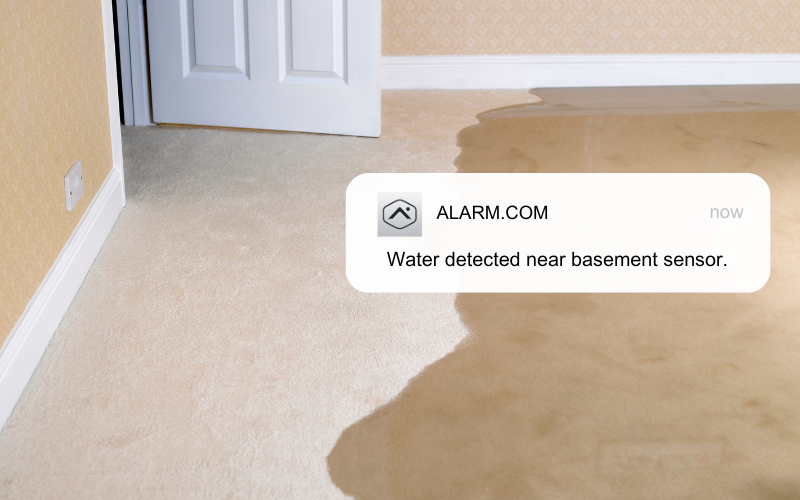
A homeowner we know experienced a major water heater leak that flooded their basement, causing thousands of dollars in damage. With a Smart Home water sensor, the leak would have been detected immediately, sending an alert to their phone so they could act quickly to shut off the water and minimize the damage.

  1. Smart Camera Helps Identify a Stolen Vehicle

Les B., a retired police officer and Execulink Smart Home customer, was reviewing footage from his outdoor camera when he spotted an unfamiliar vehicle parked outside his home. Upon closer inspection, he realized it matched the description of a stolen car from a nearby community. He alerted authorities, who were able to recover the vehicle thanks to the clear footage captured by his Smart Camera. The ability to monitor his property remotely not only gave Les peace of mind but also contributed to solving a crime. (Read more about Les’s story here).

  1. Smart Doorbell Camera for Secure Deliveries

Package theft is on the rise, but with a Smart Doorbell Camera, you can keep an eye on your front porch no matter where you are. If you’re away when a delivery arrives, you could use the two-way audio feature to guide the driver to leave the package in a secure spot, reducing the risk of theft.

  1. Smart Plugs to Deter Intruders

If you’re heading out on vacation, Smart Plugs can help make it look like someone is home. You could schedule lights to turn on and off at different times and even connect a radio to play periodically. Being able to control your home remotely adds an extra layer of security and peace of mind while you’re away.

  1. Smart Smoke Detectors for Enhanced Safety

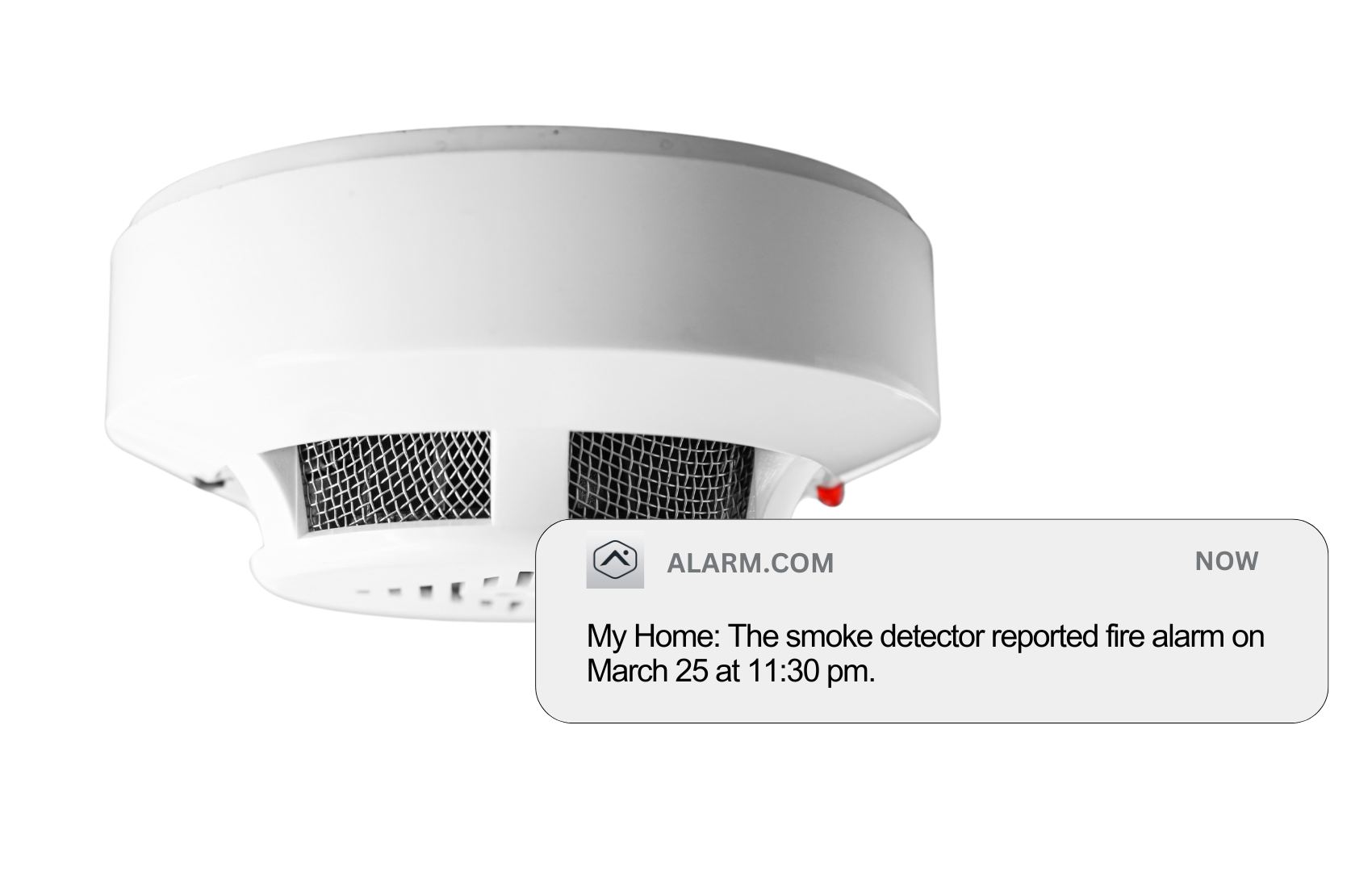
Traditional smoke detectors only alert you if you’re home, but a compatible Smart Smoke Detector goes a step further. If smoke were detected while you were out, you could receive an instant notification on your phone and quickly call the fire department, potentially preventing a small incident from turning into a major disaster.

These examples show how Execulink Smart Home can make a real difference. It’s not just about having the latest technology, it’s about creating a safer, smarter, and more efficient home. With the right setup, you can protect your home and loved ones while enjoying greater convenience and peace of mind.

The Internet Services You Deserve
Affordable. Reliable. Lightning fast.

We’re proud to provide the communities we know, love, and live in, with the reliable Internet, TV, Phone and Mobility services they deserve.

  • Your local choice for residential and business telecommunication services
  • Renowned 24/7 customer service you can depend on
  • Affordability, service, integrity and transparency are the pillars of our business

Here to help. 24/7.

Sales Inquiries

Sales: Mon-Fri 8AM-8PM, Sat 8AM-5PM

(866) 706-1991

Support Inquiries

Technical Support: 24/7, Customer Care: Mon-Sun 7AM-11PM

(866) 706-1994

Online Help

Chat With Us

We'll respond as soon as we can!

Email Us

We'll get back to you as soon as possible.

Support Centre

Find the answer to your question.

Check availability

Enter your address to find services and offers available to you!