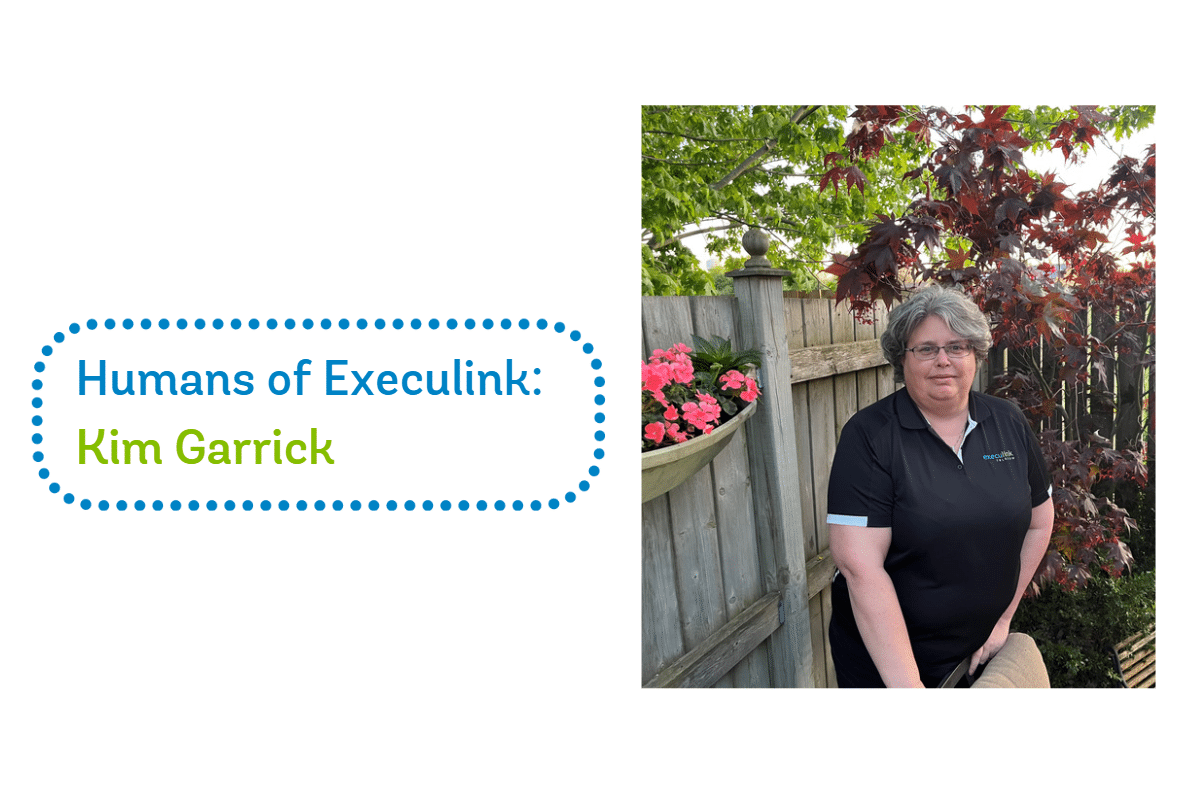
Humans of Execulink: Kim Garrick

Let us take you behind the scenes of our technical team and learn about Kim, our Technical Specialist Supervisor. Read along as she shares about her role, her team and their crucial role in helping Execulink customers receive the service they deserve.

1. How long have you worked at Execulink and what are your daily activities?

I have been working at Execulink Telecom for 5 years, starting as a Customer Care agent and gradually growing in the company. Currently, I am the Technical Specialist Supervisor.   I supervise a great team of 13 Technical Specialists that help support our business customers, along with responding to service issues report to our service teams and vendors.   Any issues that our Customer Care or Sales teams cannot resolve, are tasked to our team to investigate and help repair. We work with many teams, including our technicians that help at our customer’s residence, to resolve any issues that come.   Every day can be different-reviewing for issues, training for new products, and helping my team with any of their questions.

2. Are there any specific skills or strengths that you bring to your role that have contributed to your success?

I have several years of experience working in support teams dealing with complex issues and analysis. Moving into my new role as supervisor over a year ago allowed me to use these skills to help improve the support we are offering to Execulink and to our customers.

3. Can you describe a particularly memorable project or accomplishment you’ve achieved during your time here?

Rebuilding the technical support team. When I was hired as the supervisor, we were a team of six, working from home during the pandemic, during a time where many people were moving jobs because of the ease and need in many areas. This led to challenges with hiring and retaining employees and caused delays resolving issues. To overcome these obstacles, we implemented a range of new tools to support remote work. This brought about significant changes in how we trained new team members, provided daily updates, streamlined reporting processes, and fostered a positive team attitude.

I’m proud to say that these efforts have been a success, resulting in a stable and cohesive team that collaborates and supports one another every day.

4. How do you stay motivated and maintain a positive attitude during challenging times or high-pressure situations?

We have a very supportive, positive team here that is great at celebrating the wins.   I have trust in my team to work through any critical issue with ease, and failures are a learning opportunity to do better. With a great culture here of support. It makes it easy to remain positive in any situation.

5. What hobbies or interests do you pursue outside of work?

Gardening and Cooking. My ginger molasses cookies are always in high demand when we meet in person at the office.

  • Watching TV in real time or recording? Recording – our rewind option on Execulink TV is very helpful!
  • Paper and pen or digital notes? Digital notes
  • Facebook or Instagram? Facebook
  • Music or podcasts? Music – Vinyl to tell you the truth… Love the sound.
  • Sunrise or sunset? Sunsets
  • Laptop or desktop? Laptop
  • Game night or movie night? Movie night
  • Dogs or cats? Tough one… Dogs
  • City or country? Country girl all the way.
  • Text message or phone call? Phone call. Love to talk to people as you get to know the person.

View our current opportunities here!

Five Benefits of Using a VPN

In today’s digital age, it is more important than ever to keep your online activity secure and private. A Virtual Private Network (VPN) is a tool that can help you achieve this by creating a secure and encrypted connection between your device and the Internet. In this blog post, we will discuss what a VPN is and the benefits of using one. 

What is a VPN? 

A VPN is a network technology that allows you to create a secure and private connection to the Internet. When you use a VPN, your device connects to a remote server through an encrypted tunnel. This tunnel masks your IP address, making it difficult for anyone to track your online activity. As a result, you can browse the Internet anonymously and securely. 

Benefits of using a VPN: 

1. Privacy and Security: A VPN provides an extra layer of security and privacy to your online activity. When you use a VPN, all of your Internet traffic is encrypted, which means that no one can intercept or access your data. This is especially important if you are using public Wi-Fi, which is often unsecured and vulnerable to cyber-attacks. 

2. Access to Geo-restricted Content: A VPN can help you bypass geo-restrictions and access content that is not available in your region. For example, if you are traveling abroad and want to watch your favorite TV shows or movies, a VPN can help you access them as if you were in your home country. 

3. Improved Online Gaming: If you are a gamer, you can benefit from using a VPN to improve your gaming experience. A VPN can reduce lag and ping times, which can improve your gameplay and make it more enjoyable. 

4. Online Shopping: Many online retailers use dynamic pricing, which means they adjust prices based on your location, search history, and other factors. With a VPN, you can change your virtual location and avoid dynamic pricing, potentially saving you money on your purchases. 

5. Business Use: VPNs are also commonly used in the business world to provide employees with secure remote access to company resources. This allows employees to work from anywhere without compromising the security of sensitive company information. 

In conclusion, a VPN is a powerful tool that can help you secure your online activity, access geo-restricted content, improve your gaming experience, and more. If you are concerned about your online privacy and security, consider using a VPN. With many VPN providers available, you can find a solution that fits your needs and budget. 

Learn more about our Business IP VPN Service!

The Power of Local Business: Strengthening Communities and Driving Success

Small businesses play a vital role in their local communities. They create jobs, drive innovation, and contribute to the economic growth of their regions. But being a small business owner is not without its challenges. Large corporations often have the advantage of greater resources and brand recognition. However, there are unique advantages to being a local small business, and partnering with other local businesses can help strengthen the local economy and drive business success.

Small businesses are a vital part of the Canadian economy. In fact, as of 2021 small businesses account for 98.1% of all Canadian businesses, employing over 10.3 million Canadians, and contributed $1.5 trillion to the Canadian economy, making up over 40% of Canada’s GDP. Supporting local small businesses not only benefits the business owners and their employees but also has a significant impact on the overall economic health of our communities.

Studies have shown that for every $100 spent at a local small business, $63 stays in the local economy, compared to only $43 for non-local businesses. This means that supporting local businesses not only helps them thrive but also helps to create a stronger local economy. Additionally, 95% of Canadians believe that supporting small businesses is important for the health of their local community, demonstrating the widespread understanding of the importance of small businesses in Canada.

In this blog post, we’ll explore the power of local business and the benefits of partnering with other local businesses such as Execulink Telecom.

The Advantages of Being a Local Small Business​

There are several advantages to being a local small business, including:

Personalized Service: Local businesses can offer a level of personalized service that is often lacking in larger corporations. They can take the time to get to know their customers and tailor their offerings to meet their specific needs.

Strong Community Ties: Local businesses are often deeply rooted in their communities. They know the needs of their customers and can work closely with other local businesses to meet those needs.

Innovation: Small businesses often have the freedom to innovate and experiment with new products, services, and business models. They can be nimble and adapt quickly to changing market conditions.

Economic Impact: Local small businesses have a significant economic impact on their communities. They create jobs, generate tax revenue, and contribute to the overall economic growth of their regions.

Partnering with Other Local Businesses

Partnering with other local businesses can help small businesses realize even greater benefits. By working together, local businesses can leverage each other’s strengths and support each other’s growth. Here are a few ways that partnering with other local businesses can benefit your business:

Access to New Customers: By partnering with other local businesses, you can tap into their customer base and reach new audiences. This can help you expand your reach and grow your business.

Increased Visibility: When you partner with other local businesses, you can benefit from their brand recognition and reputation. This can help increase your visibility in the community and attract new customers.

Cost Savings: By pooling resources with other local businesses, you can often save money on shared expenses such as marketing, advertising, and infrastructure.

Knowledge Sharing: By partnering with other local businesses, you can share knowledge and expertise, learn from each other’s successes and failures, and collaborate on new ideas and initiatives.

The Role of Execulink Telecom in Supporting Local Business

Execulink Telecom is a local business that understands the importance of supporting other local businesses. As a provider of Internet, Voice, TV, and Network services to small businesses across Ontario, we know that reliable connectivity is essential for local businesses to succeed.

By partnering with other local businesses, we can help strengthen the local economy and contribute to the overall growth and success of our communities. Here are a few of the ways that we support local businesses:

Reliable Connectivity: Our high-speed Internet solutions offer fast and reliable connectivity that can help small businesses stay connected and productive.

Business Phone Services: Our business Phone services offer affordable and reliable communication solutions that can help small businesses stay in touch with their customers.

TV Services: Our TV services offer local channels and programming that can help small businesses stay connected with their communities and support other local businesses.

Community Support: We are committed to supporting our local communities through sponsorship donationsscholarships, and other initiatives.

Partnering with other local businesses is an effective strategy that can help small businesses achieve greater success. When small businesses work together, they can tap into each other’s strengths and resources, leading to new customers, increased visibility, cost savings, and the sharing of knowledge and expertise. By collaborating and supporting one another, local small businesses can help build a stronger local economy and create a flourishing community.

At Execulink Telecom, we understand the importance of supporting local small businesses and contributing to the economic growth and success of our communities. Our reliable connectivity solutions are designed to help small businesses stay connected, productive, and engaged with their local community.

If you’re a small business owner in Ontario, we invite you to explore our solutions and discover how we can help your business succeed. Our solutions are tailored to meet the specific needs of small businesses, and our local support team is always available to help you achieve your goals. By partnering with us, you can build a stronger local economy, create a thriving community, and achieve greater success for your business.

Visit our website today to discover how we can support your specific needs and join us in building a stronger local economy and community. Together, let’s create a thriving business community that benefits everyone.

Explore Our Solutions!


How Hosted Phone Systems Can Help Canadian Businesses Thrive

As businesses in Canada continue to adapt to the evolving communication landscape, many are turning to hosted phone systems as a cost-effective and efficient solution. Hosted phone systems, also known as cloud-based phone systems, are virtual phone systems that allow businesses to make and receive calls over the Internet rather than through traditional phone lines. With various features like call management, voicemail, and conference calling, hosted phone systems have become an increasingly popular choice for Canadian businesses looking to improve communication, collaboration, and customer service. Let’s learn more about how a hosted phone system can take your business communication to the next level!

What is a Hosted Phone System?

A hosted phone system is a communication technology that allows businesses to make and receive calls over the Internet. Hosted phone systems can facilitate voice and video communications, with the added benefit of having all the features of a traditional phone system, such as call forwarding, caller ID, and voicemail. It is becoming increasingly popular among businesses in Canada due to its cost-effectiveness, scalability, and ease of use.

With a hosted phone system, businesses are no longer required to purchase hardware or invest in complex setup costs. Instead, all hardware is managed by the service provider, meaning that companies have access to up-to-date technology with minimal maintenance. In addition, hosted phone systems are cloud-based, meaning businesses can access their system from any device connected to the Internet.

Hosted phone systems provide businesses with a reliable, cost-effective way to communicate with customers and partners. With the ability to access their system from anywhere, businesses can stay constantly connected and ensure they never miss a call.

Features of Hosted Phone Systems

Hosted phone systems offer many features that can make communication more accessible and more efficient:

Call management – Hosted phone systems offer a variety of call management features, such as call forwarding, call routing, and call screening, which can help businesses manage and prioritize incoming calls.

Voicemail and voicemail-to-email – Hosted phone systems typically offer voicemail functionality, which allows callers to leave messages when employees are unavailable. Many systems also provide voicemail-to-email features, which deliver voicemail messages to employees’ email inboxes for easy access and organization.

Auto-attendant – An auto-attendant is a virtual receptionist that greets callers and directs them to the appropriate person or department. This feature can enhance the professional image of a business and help callers quickly connect with the right contact.

Call recording – Hosted phone systems often allow for call recording, which can help businesses improve customer service, monitor call quality, and provide valuable insights into customer behaviour.

Conference calling – Many hosted phone systems offer conference calling capabilities, allowing multiple parties to participate in a call simultaneously. This feature can be handy for remote teams and businesses with clients or partners in different locations.

Benefits of Hosted Phone Systems

Hosted phone systems provide a cost-effective, reliable, and highly customizable communication solution for businesses of all sizes. Here are some of the benefits of using a hosted phone system for your business:

Cost savings – One of the primary benefits of using a hosted phone system is cost savings. Hosted phone systems eliminate the need for hardware, such as PBX systems, and their associated installation, maintenance, and upgrade costs. Additionally, hosted phone systems provide more flexibility when adjusting the number of users and usage, reducing overall costs.

Increased mobility – Hosted phone systems provide increased mobility for employees by allowing them to access the system from any location with an Internet connection. This is especially beneficial for businesses with remote teams or staff who often travel for work.

Flexibility – Hosted phone systems are highly customizable, allowing businesses to add or remove features to meet their needs. From simple call routing to automated attendants, companies can select the features that best fit their requirements.

Scalability – Another benefit of hosted phone systems is scalability. Because the system is cloud-based, businesses can easily add or remove users depending on their needs. This makes hosted phone systems an ideal choice for companies that are growing rapidly or have seasonal fluctuations in staffing levels.

Security – Hosted phone systems offer increased security for sensitive data. The service provider is responsible for keeping the system secure, meaning businesses don’t have to worry about ensuring their security measures are up to date.

Choosing the Right Hosted Phone System for Your Business

Choosing the right hosted phone system for your business can take time and effort, with so many options available in Canada. Before deciding on which system to invest in, it’s essential to consider what features are most important to you and your team.

Pricing – Hosted phone systems vary in price, so businesses should consider their budget and determine which plan offers the best value for their needs.

Customer support – Reliable customer support is crucial when using a hosted phone system, so businesses should look for providers that offer responsive and helpful support services.

Integration with other software and tools – Many businesses use various software and tools to manage their operations, so choosing a hosted phone system that can integrate with these other systems is essential.

Reliability and uptime – Hosted phone systems rely on Internet connectivity. Businesses should choose a provider with reliable service and high uptime to ensure that calls are not dropped or disrupted.

Customization options – Different businesses have different communication needs, so choosing a hosted phone system with customization options, such as adding or removing features as needed, is essential.

Hosted phone systems are a game-changer for Canadian businesses, offering a reliable, flexible, cost-effective communication solution. With features like call management, voicemail-to-email, and conference calling, companies can streamline communication processes and enhance customer service. As remote work becomes more prevalent, hosted phone systems have become essential for businesses of all sizes, allowing teams to stay connected and productive from anywhere. By choosing Execulink as your hosted phone system provider and considering factors like pricing, customer support, and customization options, your business can find a system that meets its unique needs and helps it thrive. Give us a call today to discuss your hosted phone system options!

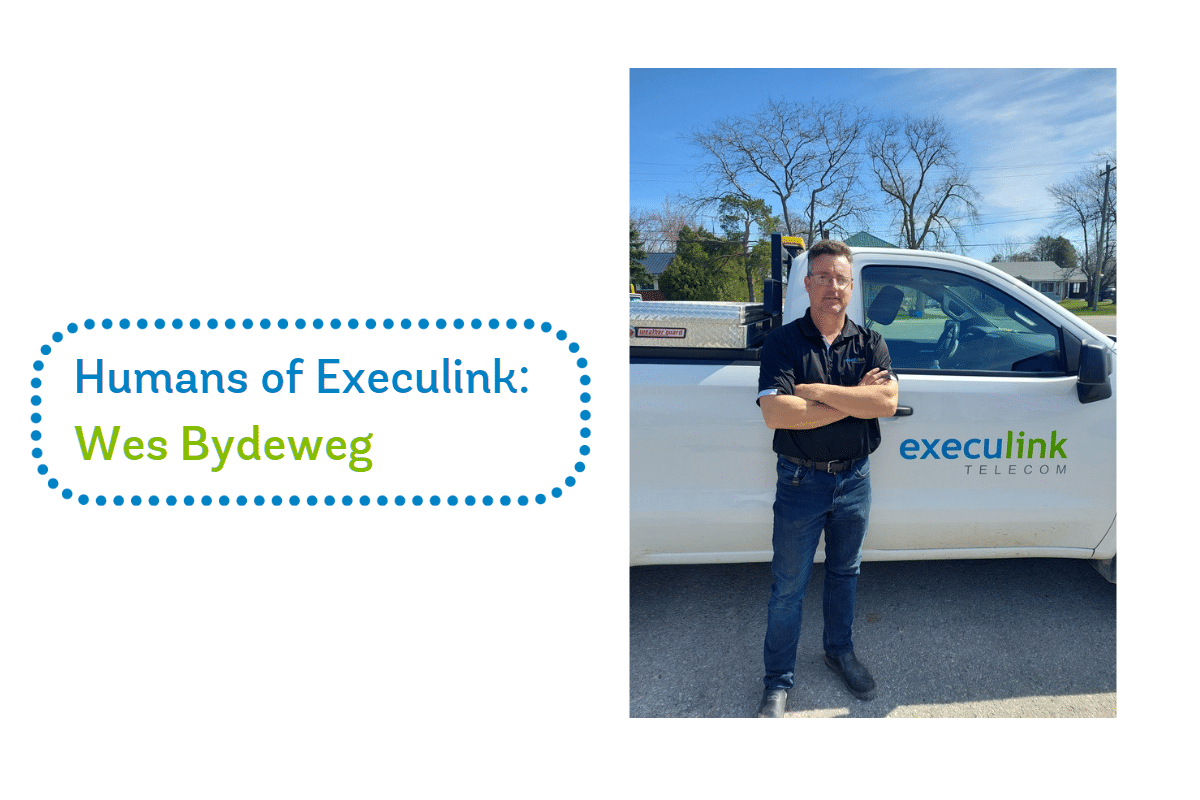
Humans of Execulink: Wes Bydeweg

In this month’s Humans of Execulink blog, we meet Wes, our Wireless Field Supervisor. With his passion for technology and connection to our values, Wes is the perfect fit for his role. He manages our Wireless team who deliver reliable Internet service to our rural customers.

1. How long have you worked at Execulink and what are your daily activities?

I have been with Execulink for just a little over 2 years now and I am the Wireless Field Supervisor. I manage the wireless installation team and help manage the wireless network for Execulink.

2. Which 3 words would you want your colleagues to describe you with?

Tenacious, Funny, Fair

3. What parts of our mission/values do you connect with?

It might be a shorter answer if you would ask which ones I “don’t” connect with.  Execulink’s Mission and Values directly match my style of managing: with integrity, hard work, and dedication not only to our customers but to ourselves and our colleagues as well.

4. What did you want to be when growing up?

A Police Detective.

5. How do you like to end your day?

Sometimes exercise, sometimes socialize with friends, sometimes going shopping with my daughter, sometimes golfing (when the weather gets warmer of course), it varies.

Rapid Fire – This or That Questions!

  • Sleep in or stay up? Sleep (but get up really early)
  • Live in a big city or small town? Small Town
  • Call or text? Call it’s more efficient
  • Movie or TV Show? Movie
  • Execulink Blue or Green? Blue
  • Van or Truck? Truck
  • Fly or Drive? Fly
  • Pie or Cake? Cake
  • Hot or Iced Coffee? Not fair; love them both. But I drink more hot coffee.
  • Movie or Theater? Theatre. Definitely theatre

Check out our current career opportunities!

Small Business Growth Strategies: Leveraging Cloud-Based Solutions to Scale Your Business

Small businesses face unique challenges when it comes to scaling their operations. Limited resources, tight budgets, and the need to stay competitive in a fast-paced business environment can make it difficult for small businesses to grow. However, with the right strategies and tools, small businesses can overcome these challenges and achieve sustainable growth. One of the most effective ways to do this is by leveraging cloud-based solutions to streamline operations, improve collaboration, and increase efficiency.

In this blog post, we’ll explore some of the key strategies small businesses can use to leverage cloud-based solutions to scale their operations. We’ll discuss the benefits of cloud-based solutions, including increased flexibility, scalability, and cost-effectiveness. We’ll also cover some of the most popular cloud-based solutions available to small businesses today, including cloud storage, collaboration tools, VoIP, and project management software.

Why Small Businesses Should Leverage Cloud-Based Solutions

Cloud-based solutions offer a wide range of benefits for small businesses looking to scale their operations. Here are just a few of the key advantages:

Increased Flexibility:

Cloud-based solutions allow small businesses to access their data and applications from anywhere, at any time. This means employees can work remotely, collaborate with colleagues in different locations, and access critical business data on the go.

Scalability:

Cloud-based solutions can scale up or down depending on the needs of the business. This means small businesses can start with a basic solution and add more features and capacity as they grow, without having to invest in expensive hardware and software.

Cost-Effectiveness:

Cloud-based solutions are typically more cost-effective than on-premise solutions, as they eliminate the need for expensive hardware and software, as well as the costs associated with maintaining and upgrading them.

Improved Collaboration:

Cloud-based collaboration tools allow team members to work together in real-time, regardless of their location. This can lead to more efficient and effective teamwork, resulting in better outcomes for the business.

Enhanced Security:

Cloud-based solutions typically offer advanced security features, including encryption and multi-factor authentication, to protect sensitive business data from unauthorized access.

Key Strategies for Leveraging Cloud-Based Solutions

Here are some of the key strategies small businesses can use to leverage cloud-based solutions and scale their operations:

Identify your business needs:

Before you can choose the right cloud-based solutions, you need to identify your business needs. Determine which areas of your business could benefit most from cloud-based solutions, such as collaboration, project management, accounting, or customer relationship management.

Choose the right solutions:

Once you’ve identified your business needs, research and select the cloud-based solutions that best meet those needs. Look for solutions that are easy to use, scalable, and offer the features and functionality you require.

Train your employees:

To maximize the benefits of your cloud-based solutions, you need to ensure your employees are trained on how to use them effectively. Provide training and support to help your employees get up to speed quickly and use the solutions to their full potential.

Integrate your solutions:

To achieve the best results, you need to ensure your cloud-based solutions work seamlessly together. Integrate your solutions to improve collaboration, streamline workflows, and eliminate duplication of effort.

Monitor and analyze your results:

To ensure your cloud-based solutions are delivering the expected results, monitor and analyze your data regularly. Use analytics tools to measure your progress towards your business goals, identify areas for improvement, and make data-driven decisions.

Cloud-Based Solutions for Small Business Growth

Here are some of the most popular cloud-based solutions that small businesses can use to streamline their operations, improve collaboration, and increase efficiency:

Cloud Storage:

Cloud storage solutions like Dropbox and Google Drive allow small businesses to store and access their files from anywhere, at any time. This can make it easier for employees to work remotely and collaborate on projects, while also ensuring that critical business data is always accessible.

Collaboration Tools:

Collaboration tools like Microsoft Teams and Slack are cloud-based solutions that allow team members to work together in real time, regardless of their location. These tools offer features like virtual meetings, chat, and document sharing, which can help small businesses improve teamwork and productivity. For businesses already using Microsoft Teams, integrating their phone system with the Teams platform can further streamline communication and collaboration. Execulink Telecom’s Direct Routing for Microsoft Teams is an option worth exploring for businesses looking to integrate their phone system with the Teams client.

Project Management Software:

Cloud-based project management software like Asana and Trello can help small businesses keep track of deadlines, budgets, and progress toward project goals. These tools offer features like task management, progress tracking, and team communication, which can help small businesses manage projects more effectively.

Accounting Software:

Cloud-based accounting software like QuickBooks and Xero can help small businesses manage their finances more effectively. These tools offer features like invoicing, expense tracking, and financial reporting, which can help small businesses stay on top of their finances and make informed decisions about their business.

Customer Relationship Management (CRM) Software:

Cloud-based CRM software like Salesforce and HubSpot can help small businesses manage their customer relationships more effectively. These tools offer features like lead management, sales forecasting, and customer analytics, which can help small businesses improve their sales and marketing efforts.

VoIP:

Voice over Internet Protocol (VoIP) is a cloud-based phone system that enables small businesses to make and receive phone calls over the Internet. This solution is becoming increasingly popular among small businesses due to its cost-effectiveness, scalability, and advanced features. With VoIP, small businesses can enjoy features like auto-attendant, call forwarding, call recording, and voicemail-to-email, which can help them manage their communication more efficiently.

VoIP solutions are also scalable, which means that small businesses can start with a basic plan and add more features and capacity as they grow. This eliminates the need for expensive hardware and software and makes it easier for small businesses to manage their communication costs.

Small businesses face unique challenges when it comes to scaling their operations, but cloud-based solutions offer a way to overcome those challenges and achieve sustainable growth. By leveraging cloud-based collaboration tools, small businesses can improve teamwork, document sharing, project management, and cost-effectiveness. Cloud-based solutions can also provide the scalability and flexibility that small businesses need to grow and expand their operations over time.

Overall, leveraging cloud-based solutions like VoIP can be a game-changer for small businesses looking to scale their operations. By adopting these solutions, small businesses can improve their efficiency, productivity, and collaboration while minimizing their costs and streamlining their operations. With the right tools and strategies in place, small businesses can achieve sustainable growth and build a successful future for themselves and their employees.

Ready to leverage cloud-based solutions and scale your small business operations? Visit our website or contact us at 1-877-561-6771 to learn more about how we can help.

Contact Execulink today!

Preparing Your Cottage for the Upcoming Season

Contact us to reconnect your cottage Internet!

As the weather starts to warm up, many cottage owners start to think about opening up their properties for the season. Preparing your cottage for the summer can be a time-consuming and sometimes challenging task, but with proper planning and preparation, you can make the process much more manageable.

Here are some tips to help you get your cottage ready for the season:

Make a list of tasks

Before you start anything, it’s essential to make a list of all the tasks that need to be done. This will help you stay organized and make sure you don’t forget anything. Your list should include everything from cleaning and airing out the cottage to checking for any damage that may have occurred over the winter.

Check for damage

Speaking of damage, it’s crucial to inspect your cottage thoroughly before you start using it again. Check for any signs of water damage, pest infestations, or mold. Look for any cracks or holes in the walls, foundation, or roof. Make sure to take care of any repairs or maintenance tasks before you start using the cottage.

Clean and declutter

Cleaning and decluttering your cottage is an essential part of getting it ready for the season. Start by opening up all the windows and doors to air out the space. Then, remove any cobwebs, dust, and debris that may have accumulated over the winter. Don’t forget to clean the kitchen, bathroom, and bedrooms thoroughly. Decluttering is also important, so take the time to go through your belongings and get rid of anything you no longer need.

Stock up on supplies

Make sure you have all the supplies you need before you head to the cottage. This includes everything from cleaning products to food and drink. Don’t forget to stock up on essentials like toilet paper, paper towels, and garbage bags.

Turn on utilities

Before you start using your cottage, you’ll need to turn on the utilities. This includes electricity, water, and gas. Make sure to test all the systems to make sure everything is working correctly. Be prepared and make sure your Internet is connected by contacting your Internet service provider. Execulink customers can call us and inform our team when you would like your services reconnected and we will make sure that you are up and running for then. If you are having speed issues once your Internet is connected, check out on blog on how to get fast cottage Internet.

Safety first

Finally, it’s crucial to make sure your cottage is safe to use. Check that all smoke detectors and carbon monoxide detectors are working correctly. Test any fire extinguishers to make sure they’re in good working condition. It’s also a good idea to have a first aid kit on hand if you don’t already, if you have one it’s recommended to replenish items.

In conclusion, preparing your cottage for the season takes some effort, but with proper planning and preparation, it can be an enjoyable and rewarding experience. By following these tips, you’ll be able to open up your cottage and start enjoying your summer in no time.

Contact us today!

Humans of Execulink: Lorenzo Ladouceur

Meet Lorenzo Ladouceur, one of the friendly faces behind our Customer Care team here at Execulink. He’s passionate about providing exceptional service to our customers, and his positive attitude and dedication to helping others make him an invaluable member of our team. Learn about him and his role here at Execulink!

How long have you worked at Execulink and what are your daily activities?

I have worked for Execulink for 4.5 years. My daily activities include reviewing support tickets, contacting customers for further troubleshooting, and working with multiple other departments to resolve issues that customers are facing.

What do you enjoy most about working at Execulink?

Talking to new and interesting people everyday!!

What is the best career lesson you’ve learned so far?

Keep at it! Don’t give up and ask questions as much as possible.

Where on earth are you hoping to travel next?

Would love to travel someplace warm, anywhere

If you could meet anyone in the world dead or alive who would it be and why?

Graham Hancock, would love to discuss his views on us being a species with amnesia, and what he believes happened in the younger drays period.

Rapid Fire – This or That Questions!

  • Summer or Winter? Summer!!
  • Laptop or Desktop? Desktop
  • Phone call or Video call? Phone call, I still remember rotary phones
  • Salty or Sweet? Salty
  • Execulink Blue or Green? Team Green!
  • Learn by watching or learn by doing? By doing
  • Salad or Sandwich? Sandwich
  • Movie or Concert? Hard one, but movie as I can enjoy that with the family
  • Hot or Iced Coffee? Hot Coffee
  • Friday or Saturday? Friday!!!

Operational Efficiency: Tips and Strategies for Small Businesses

In today’s fast-paced business environment, small businesses face a number of challenges that can make it difficult to remain competitive. Limited resources, tight budgets, and increasing competition all contribute to the need for small businesses to operate as efficiently as possible. Operational efficiency refers to the ability of a business to maximize output while minimizing inputs, such as time, money, and resources. In this blog post, we’ll explore practical advice and insights for small businesses looking to improve their operational efficiency, and how telecom solutions can support these efforts. We’ll also discuss why operational efficiency is so critical for small businesses in today’s fast-paced business environment.

Assess Your Current Processes

The first step to improving operational efficiency is to assess your current processes. This involves identifying inefficiencies, bottlenecks, and areas for improvement. Look for tasks that are taking too much time, resources, or money, and find ways to streamline or automate them. For example, consider how much time and effort your employees spend on manual data entry or communication. These are common inefficiencies that can be easily addressed through automation. By implementing a cloud-based customer relationship management (CRM) system or a cloud-based phone solution like Hosted Phone, you can automate data entry, streamline communication, and improve the process, freeing up valuable time and resources for other tasks.

Invest in Training and Development

Another key factor in improving operational efficiency is investing in the training and development of your employees. This involves providing ongoing training to ensure that your employees are equipped with the skills and knowledge they need to perform their jobs effectively and efficiently. For example, telecom solutions such as video conferencing and online training platforms can be used to provide remote training and development opportunities for employees, regardless of their location or schedule. This can help to improve employee engagement and performance, leading to increased operational efficiency.

Embrace Technology

Technology is a key enabler of operational efficiency, and small businesses can benefit from a wide range of telecom solutions to streamline and automate their processes. The following infographic summarizes some of the most common technology solutions used by businesses to enhance operational efficiency.
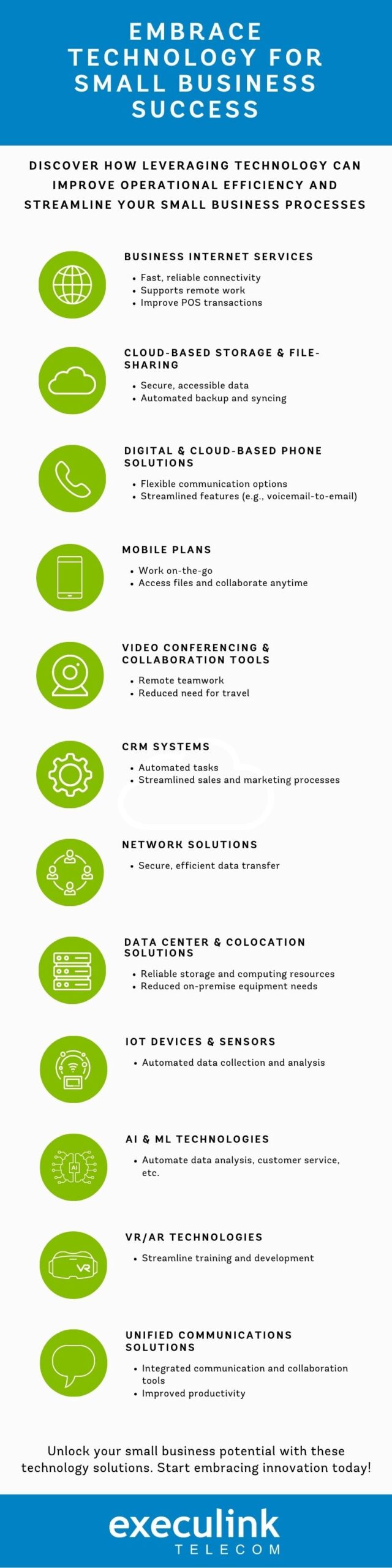
Business Internet Services: Fast and reliable Internet connectivity allows businesses to communicate with customers and employees across multiple locations, reducing the need for travel and in-person meetings, and enabling remote work.

Improve Point of Sale (POS) transactions with faster Internet: One of the pain points for many small businesses is the efficiency of their POS transactions. Slow or unreliable Internet connections can lead to delays in processing payments and leave customers frustrated. By investing in faster and more reliable Internet services, you can enhance your POS transactions and improve customer satisfaction.

Cloud-based storage and file-sharing platforms: Allow businesses to store and share files securely in the cloud, reducing the need for physical storage and allowing easy access to files from anywhere at any time. Automated backup and syncing can also ensure that files are always up-to-date and accessible to authorized parties.

Digital and Cloud-based phone solutions: Provide flexible and scalable communication options, allowing employees to easily make and receive calls, and manage their communications from any device, anywhere. Features such as voicemail-to-email, automated call forwarding, and auto-attendants can help to streamline communication and automate certain tasks.

Mobile plans: Provide employees with the flexibility to work on the go while staying connected and productive. With mobile devices and apps, employees can easily access files, communicate with team members, and collaborate on projects from anywhere, at any time.

Video conferencing and online collaboration tools: Allow employees to collaborate remotely, reducing the need for in-person meetings and travel. Features such as screen sharing, virtual whiteboards, and chat messaging can help to streamline communication and automate certain tasks.

Customer relationship management (CRM) systems: Help businesses to automate tasks such as data entry, lead management, and customer communication. By organizing and automating customer data, businesses can streamline sales and marketing processes, and ensure that customer interactions are consistent and efficient.

Network Solutions: Connect businesses and branches to their customers with secure and reliable networking solutions, streamlining communication and ensuring that data is transferred efficiently and securely between locations.

Data Center Solutions and Colocation – Provide businesses with secure and reliable storage and computing resources, reducing the need for on-premise equipment and maintenance. With cloud-based servers and storage, businesses can automate tasks such as data backup and recovery, and scale their infrastructure to meet changing demands. Colocation services can also be used to provide secure physical space for servers, allowing businesses to offload the maintenance and management of their own data center equipment.

Internet of Things (IoT) devices and sensors: These can automate data collection and analysis for various business processes, such as inventory management, predictive maintenance, and energy management.

Artificial Intelligence (AI) and Machine Learning (ML) technologies: These can automate tasks such as data analysis, customer service, and fraud detection, among others.

Virtual and Augmented Reality (VR/AR) technologies: These can automate and streamline various training and development processes, such as employee onboarding, product demonstrations, and customer support.

Unified Communications (UC) solutions: These integrate voice, video, messaging, and collaboration tools into a single platform, allowing employees to communicate and collaborate in real-time from any location. For example, Execulink’s Direct Routing for Microsoft Teams solution allows businesses to integrate their Teams environment with a business phone system, providing enterprise-grade voice capabilities and enabling employees to make and receive external calls from their Teams app on any device, from anywhere. By unifying communication and collaboration tools, businesses can streamline their processes and improve productivity.

By embracing technology, small businesses can reduce manual tasks, improve communication and collaboration, and streamline their overall operations, helping them to achieve greater operational efficiency and success.

Outsource Non-Core Functions

Small businesses can also improve operational efficiency by outsourcing non-core functions to third-party providers. This includes functions such as accounting, payroll, and human resources, which can be time-consuming and complex for small businesses to manage in-house. By outsourcing these functions, small businesses can focus on their core competencies, while benefiting from the expertise and efficiency of third-party providers. Telecom solutions such as video conferencing and online collaboration tools can also be used to facilitate communication and collaboration with outsourced providers, ensuring that they are integrated seamlessly into the business.

Monitor and Measure Performance

Finally, it is important to monitor and measure the performance of your business to ensure that you are achieving your goals and making progress toward improving operational efficiency. This involves setting clear metrics and goals, tracking progress against these metrics, and making adjustments as needed. Telecom solutions such as data analytics and business intelligence tools can be used to monitor and measure performance, providing valuable insights and actionable data to inform decision-making and improve operational efficiency.

Operational efficiency is critical for small businesses looking to remain competitive in today’s fast-paced business environment. By assessing current processes, investing in training and development, embracing technology, outsourcing non-core functions, and monitoring and measuring performance, small businesses can improve their operational efficiency and achieve their goals. Telecom solutions play a critical role in supporting these efforts, providing the tools and technologies needed to streamline and automate operations and drive success.

However, it’s important to remember that operational efficiency is not a one-time effort but an ongoing process. Small businesses must continuously strive to improve their processes and operations to remain competitive and successful. By implementing the tips and strategies discussed in this blog post and leveraging telecom solutions, small businesses can build a solid foundation for success and succeed in today’s fast-paced business environment.

Ready to improve your small business’s operational efficiency? Learn more about the telecom solutions discussed in this blog post by visiting our website or contacting us at 1-877-561-6771. Our team of business experts can help you find the right solutions to streamline your operations and drive success.

Streamline your operations now!

8 Tips for Keeping Your Online Presence Safe

In today’s digital age, the Internet has become an integral part of our daily lives. From online shopping and banking to social media and email, we rely on the Internet for almost everything. However, the Internet is also a breeding ground for cybercrime, and the consequences of falling victim to cyber-attacks can be severe. That’s why it’s crucial to protect yourself online. In this blog, we’ll discuss some essential tips that can help you safeguard your online presence.

1. Use Strong Passwords

Using a strong password is the first line of defense against online attacks. It’s crucial to use a combination of upper and lower case letters, numbers, and special characters in your passwords. Avoid using easily guessable information like your name, date of birth, or phone number as your password. Furthermore, use unique passwords for each of your online accounts and change them regularly. Check out our blog on password security tips.

2. Keep Your Software Up-to-date

Software updates often include security patches that can fix vulnerabilities in your system. It’s crucial to keep your operating system, antivirus software, and other applications up-to-date to ensure they are secure and protected from cyber threats.

3. Beware of Phishing Scams

Phishing scams are a common tactic used by cybercriminals to trick users into giving away their personal and financial information. Always be wary of emails, messages, or links from unknown sources, and never click on suspicious links or download attachments from unverified sources. Phishing scams are increasingly becoming more popular and cyber criminals are using more aggressive tactics such as spear phishing, where they collect information about the target. Spear phishing is commonly used in scam emails sent to many employees within a company.

4. Use Two-factor Authentication

Two-factor authentication (2FA) adds an extra layer of security to your online accounts. It requires you to enter a code or approve a login request through a separate device, making it harder for hackers to gain access to your account.

5. Be Careful What You Share Online

Be cautious of the information you share online, especially on social media. Avoid sharing sensitive information like your phone number, address, or financial details on public platforms, and use privacy settings to control who can view your personal information. Make sure when transferring files over the Internet you are doing it securely.

6. Use a Virtual Private Network (VPN)

A VPN encrypts your Internet connection and hides your IP address, making it harder for hackers to track your online activity. It’s especially important to use a VPN when connecting to public Wi-Fi networks, as these networks are often unsecured and pose a high risk of cyber-attacks.

7. Backup Your Data

Regularly backing up your data can help protect you against data loss due to cyber-attacks or hardware failure. Make sure to store your backups in a secure location and test them regularly to ensure they are working correctly.

8. Set SPAM Filters in Your Email Account

If you have an Execulink email, you can adjust your spam settings through your MyExeculink account. There are 8 levels of filter sensitivity and you can adjust them whenever you need to. The higher values are more aggressive and block out more spam, however they may block your good emails. The lower values will allow good emails but more spam to come through. For most people, the middle is a good option and you can adjust as needed.

In conclusion, protecting yourself online is essential in today’s digital age. By following these tips, you can ensure that your online presence is secure and protected from cyber-attacks. Remember, prevention is always better than cure, so take steps to protect yourself before it’s too late.

The Internet Services You Deserve
Affordable. Reliable. Lightning fast.

We’re proud to provide the communities we know, love, and live in, with the reliable Internet, TV, Phone and Mobility services they deserve.

  • Your local choice for residential and business telecommunication services
  • Renowned 24/7 customer service you can depend on
  • Affordability, service, integrity and transparency are the pillars of our business

Here to help. 24/7.

Sales Inquiries

Sales: Mon-Fri 8AM-8PM, Sat 8AM-5PM

(866) 706-1991

Support Inquiries

Technical Support: 24/7, Customer Care: Mon-Sun 7AM-11PM

(866) 706-1994

Online Help

Chat With Us

We'll respond as soon as we can!
Email Us

We'll get back to you as soon as possible.

Support Centre

Find the answer to your question.

Check availability

Enter your address to find services and offers available to you!