
What is Streaming TV?

Streaming TV is the digital distribution of content delivered over the Internet, such as TV shows and movies. It differs from previous TV services like cable or satellite because it allows viewers constant access to their favourite content.

TV streaming uses the Internet to access movies and television shows on demand without an antenna, cable, or satellite services. Your chosen streaming service stores the files for the show so that you don’t have to download them to your device (although you can download them on the service for offline viewing). Streaming TV resembles traditional TV watching but allows viewers to watch TV shows, movies, sports, or news channels on any device.

How Streaming TV Works

To use streaming TV, you need to have an Internet connection that is reliable and fast enough to accommodate. For a non-delayed streaming TV experience, your connection should be at least 2 Mbps, but if you prefer to watch content in HD or 4K, you need a connection with at least 5 Mbps to ensure you have sufficient bandwidth. Here is how it works:

1. Streaming companies like Netflix, Disney+, and Amazon Prime store content data on servers or cloud platforms.

2. Larger companies use content delivery networks, which cache the most famous content close to where you stream it to eliminate lag time and reduce bandwidth costs.

3. Content is broken down into smaller data packets to send to your device. When your device receives enough packets, it can play the content.

4. Your device can store some of the upcoming data packets in its buffer. If your Internet connection is slow or stops, your device can play back what has been stored in its buffer.

Cable vs. Streaming TV

At first, switching from Cable TV to a streaming service was more of a cost-saving measure than a want, but it has become much more mainstream over the years. Many viewers have switched from cable to streaming to add to their entertainment options and have more access to the shows of their choice. There are several differences between streaming services and Cable TV, and in some instances, you may choose one over the other based on your personal preferences:

  • Streaming services cost less than Cable TV. Unless you are paying for several streaming services, it is generally more cost-effective to pay for one streaming service. Some services cost less than $10 a month. Cable TV tends to be more cost-effective if you watch various TV shows from different channels since you can create bundles from the ones you enjoy.
  • Some shows are only available from streaming services. You cannot watch Netflix Originals or Apple TV programs on Cable TV. However, Cable TV can be a great way to watch sports or the news, especially if you want to watch them in real-time. Therefore, streaming can be a great addition to your pre-existing Cable TV plan.
  • With a streaming service, you can choose what you watch and how much you watch. If you want to watch an entire season of your favourite TV show in one day, binge-watch on your favourite streaming service. Cable TV might be a better alternative if you prefer a variety of programs.
  • A TV streaming service allows you to watch your favourite TV show or movie from anywhere. As long as you have Internet access, you can access streaming services from any device or Smart TV. Streaming services are especially desirable if you do not have a physical TV but are watching on your laptop or smartphone instead. If you prefer a more traditional TV-watching experience, it pays to have Cable TV.

Streaming TV Services

There used to be only a handful of streaming services, but now there are dozens, both free and paid. Here are a few of the most popular:

Netflix – a TV streaming service with a large selection of popular TV shows and movies.

Amazon Prime – a TV streaming service that provides a complimentary added perk for Amazon Prime members with great movies and TV shows plus original content.

Apple TV+ – a newer addition to TV streaming that offers a wide range of original content.

Crave – a TV streaming service that provides access to TV shows from HBO, Showtime, and Starz.

And so many more!

How to Start Streaming TV

Are you ready to complement your Cable TV subscription with a streaming service? Execulink has got you covered. Modern technology makes it very easy to stream TV to your Smart TV and any devices you wish to use to watch TV. Use this step-by-step guide to get yourself set up with your favourite TV streaming device and service:

1. Select a streaming device. Your streaming device lets you connect to the Internet and stream your favourite programs. Options include:

  • A Smart TV
  • A non-Smart TV with a streaming device added (such as Amazon FireTV, Roku, Apple TV, or Chromecast)
  • A computer
  • A tablet
  • A smartphone
  • A video game console

2. Set up your streaming device. It will need to be connected to the Internet over Wi-Fi or Ethernet and will include instructions on how to connect it to your TV. You will need to use the remote control to change the input to match the device you are using to stream TV. Then follow the onscreen instructions to complete the setup.

3. Select a streaming service. Your streaming service provides the movies and programs you want to watch, so choose wisely based on your program preferences. Create an account with your preferred service provider on their website or by downloading their app from the app store. Then use your streaming device to download the app to your homepage (if it is not already available) and log in to your streaming service. You can use multiple devices to view the same service.

If you’re interested in adding streaming TV to your entertainment options, Execulink can help you get a device and reliable Internet plan to accommodate your favourite streaming services alongside your current cable TV subscription. Contact us today to explore your options and get started.


Maximizing Productivity & Satisfaction: The Benefits of BYOD Cell Phone Plans for Business

In today’s rapidly evolving business world, staying connected and productive on the go has become critical. With an increase in remote work and flexible schedules, businesses are seeking innovative solutions to support their employees and keep them productive. If you’re looking for a cost-effective and flexible solution that can improve employee satisfaction, increase productivity, and reduce costs for your business, consider the world of Bring Your Own Device (BYOD) cell phone plans for business.

Recent studies have shown that businesses that adopt BYOD plans see a significant increase in employee satisfaction, improved productivity, and reduced costs. By letting employees use their personal phones for work purposes, BYOD plans provide a comfortable and familiar work environment that supports employee productivity and satisfaction.

In this blog post, we’ll delve into the benefits of BYOD cell phone plans for both employees and businesses and how they can help businesses improve employee productivity and satisfaction.

What is a Bring Your Own Device (BYOD) Cell Phone Plan for Business?

A BYOD cell phone plan for business is a type of mobile phone plan that lets employees use their personal phones for work purposes. The business provides the necessary software and support to integrate personal phones into the company’s technology systems and networks, ensuring that employees have the tools they need to be productive and efficient.

BYOD plans for businesses offer numerous benefits, including increased employee satisfaction, lower costs, and improved security. By allowing employees to use their personal phones, businesses can provide a more comfortable and familiar work environment, reduce the cost of purchasing new phones, and reduce the cost of IT support.

The Benefits of BYOD Cell Phone Plans for Employees

Increased comfort and familiarity: Employees can use cell phones they already own and are familiar with, reducing the learning curve and increasing productivity.

Flexibility and control: BYOD cell phone plans allow employees to work from anywhere, at any time, giving them more control over their work environment and increasing motivation and job satisfaction.

Time savings: With BYOD cell phone plans, employees can work on the go, saving time and increasing efficiency.

The Benefits of BYOD Cell Phone Plans for Businesses

Increased productivity: By allowing employees to work more efficiently and effectively, BYOD cell phone plans can lead to increased productivity and improved bottom-line results.

Cost savings: BYOD cell phone plans can help businesses save money by reducing the need for company-owned cell phones and IT support.

Improved employee morale and retention: By showing that the company trusts and values its employees, BYOD cell phone plans can improve employee morale and increase employee retention.

What Types of Businesses Can Benefit from a BYOD Cell Phone Plan?

BYOD cell phone plans can provide benefits for businesses of all sizes and industries, but they are particularly well-suited for:

Small businesses: Small businesses often have limited resources and tight budgets, making BYOD cell phone plans a cost-effective solution for staying connected. With BYOD, small businesses can reduce the cost of company-owned cell phones and IT support, and allow employees to work more efficiently and effectively.

Remote or mobile teams: For businesses with remote or mobile teams, BYOD cell phone plans can provide greater flexibility and increased mobility. With BYOD, employees can work from anywhere, at any time, helping businesses stay connected and productive.

Sales and marketing teams: Sales and marketing teams often need to be available and responsive to clients and customers at all times. BYOD cell phone plans can help these teams stay connected and productive, even when they are on the go.

Service-based businesses: Service-based businesses, such as repair technicians, service providers, and field workers, often need to be able to communicate with clients and customers while they are on the job. BYOD cell phone plans can help these workers stay connected and productive, even when they are in the field.

If you’re considering implementing BYOD cell phone plans for your business, it’s important to assess your specific needs and determine if BYOD is the right solution for you.

Assessing Your Specific Needs and Determining if BYOD is the Right Solution for Your Business

Before implementing a Bring Your Own Device (BYOD) plan for your business, it’s important to assess your specific needs and determine if BYOD is the right solution for you. Here are some steps you can take to assess your needs and determine if BYOD is the right solution for your business:

Evaluate your employees’ needs: Consider the types of tasks your employees perform and the tools they need to perform those tasks effectively. For example, do your employees need to be able to access company email, files, and other resources from their cell phones?

Assess your current cell phone usage: Analyze your company’s current cell phone usage, including data and voice usage patterns, to determine the type and amount of data and voice services your employees need.

Consider your budget: BYOD plans can be cost-effective, but it’s important to consider the costs associated with implementing BYOD, including the costs of setting up the necessary IT infrastructure and providing the necessary support and training for employees.

Evaluate your IT infrastructure: Consider the existing technology infrastructure you have in place, including your network security and data management systems. Make sure that your IT infrastructure is capable of supporting BYOD and that you have the necessary security measures in place to protect sensitive data.

Evaluate your employee’s technology: Make sure that your employees’ personal cell phones are compatible with your IT infrastructure and are capable of supporting the applications and tools they need to perform their job effectively.

By taking the time to assess your specific needs and evaluate the feasibility of BYOD, you can ensure that you make the right decision for your business. Download the Checklist for Assessing Your Needs for BYOD.

Execulink Business Mobility Plans

Execulink offers BYOD cell phone plans for small businesses, with a range of options to choose from. These plans are designed to provide greater flexibility and increased mobility to employees, with no contracts and no hidden fees. All Execulink mobility plans include unlimited texting, free caller ID, free call waiting, free call forwarding, and free 3-way calling.

The benefits of BYOD cell phone plans for businesses are clear. By embracing this innovative solution, businesses can support their employees, improve productivity and satisfaction, and reduce costs. Consider the world of BYOD and take the next step to unlock the potential of mobility for your business.

Ready to see how BYOD cell phone plans can benefit your business? Visit our website to learn more and get started, or contact us at 1-877-561-6771 for a personalized consultation.

Get BYOD Mobility for Your Business Today!

The Future of Work: Embracing Fibre Internet for a Better Business Tomorrow

The future of work is rapidly evolving, driven by advances in technology and changes in the business landscape. Remote work, automation, and artificial intelligence (AI) are transforming the way we work, and businesses are looking for new ways to stay competitive and keep pace. The business landscape is constantly evolving, and technology plays a critical role in determining a company’s success. In today’s fast-paced world, businesses need reliable and fast Internet connectivity to remain competitive. Traditional Internet services, based on copper cables, are becoming outdated and struggling to keep pace with the increasing demands of modern businesses.

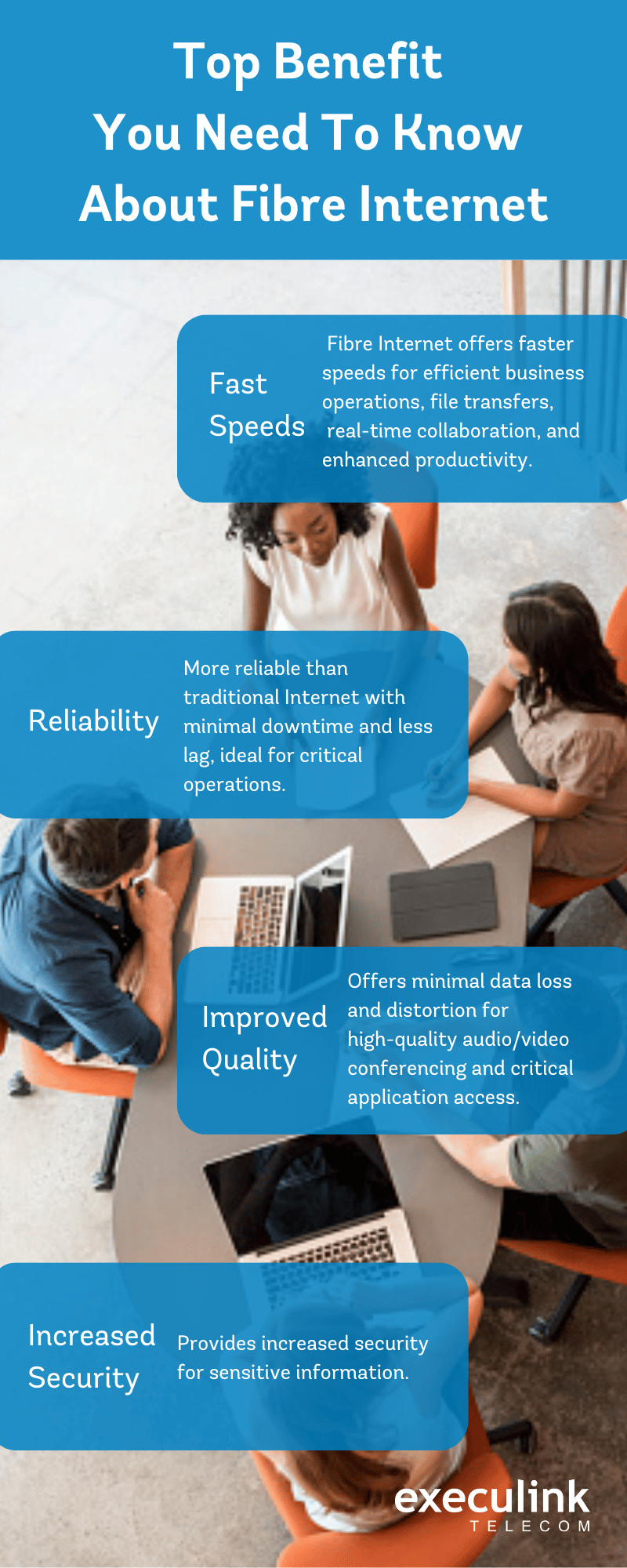
The Internet is a critical tool in this transformation, providing the connectivity and resources needed to support a dynamic and flexible workforce. That’s why Fibre Internet has emerged as a game-changer, offering faster speeds, better reliability, and improved quality, making it the ideal choice for businesses looking to stay ahead of the curve.

What is Fibre Internet?

Fibre Internet uses fibre-optic cables to transmit data, which allows it to offer lightning-fast speeds that are orders of magnitude faster than traditional Internet. This makes it ideal for businesses that require high-speed connectivity for transferring large files, accessing cloud-based services, and working on time-sensitive projects. Additionally, Fibre Internet is more reliable, with minimal downtime and less lag, making it an excellent option for businesses that rely on the Internet for critical operations.

In this blog post, we will explore the benefits of Fibre Internet for businesses and how it can help companies to increase efficiency, improve productivity, and stay ahead of the curve. We’ll also discuss how businesses can embrace Fibre Internet, from assessing their needs to choosing a Fibre Internet service provider to implementing the technology effectively. By the end of this post, you’ll have a solid understanding of Fibre Internet and why it’s essential for businesses looking to thrive in the future, particularly in the context of the rapidly changing business landscape and future of work.

Benefits of Fibre Internet for Businesses

Embracing Fibre Internet: Assessing Your Needs

Before taking the leap and embracing Fibre Internet, it’s important to assess your business’s needs and determine if this technology is the right fit. Here are some key factors to consider:

Business Size:

As a business owner, consider the number of employees and their connectivity requirements. For larger businesses with a larger workforce, Fibre Internet can provide more reliable and faster connections to meet everyone’s needs.

Type of Business:

Think about the specific needs of your business and its operations, such as real-time communication, high-speed data transfer, or cloud-based services. These factors will help you determine if Fibre Internet is the best choice for you.

Budget:

Fibre Internet can be more expensive than traditional Internet services, so it’s important to consider your budget when making this decision. However, with Execulink’s new Fibre Internet packages and pricing, businesses of all sizes and types now have access to affordable Fibre Internet options. If you’re interested in learning more about these plans and how Fibre Internet can benefit your business, reach out to Execulink today.

Choosing a Fibre Internet Service Provider

Now that you’ve assessed your needs, it’s time to start evaluating different Fibre Internet service providers. When choosing a provider, there are several factors to consider, such as speed, reliability, customer support, and cost.

Compare Options

Take the time to compare different providers and their offerings, and understand the benefits and limitations of each option. It’s important to choose a provider that offers robust 24/7 customer support, flexible plans, and a strong network that can accommodate your business’s growth and changing needs.

Key Factors to Consider

When selecting a Fibre Internet service provider, these are some key factors to keep in mind:

Speed:

Choose a provider that offers the speeds you need for your business. Fibre Internet speeds can vary, so make sure you choose a provider that meets your needs. Providers like Execulink, offer speeds up to 1GB with symmetrical speed options. This means that both upload and download speeds are equal, which is beneficial for businesses as it allows for efficient and smooth transfer of large files and data in both directions. This helps improve overall productivity and the ability to effectively handle daily business operations.

Reliability:

Look for a provider with a strong reputation for reliability and high-quality connectivity with minimal downtime.

Customer Service:

Evaluate the provider’s customer service, including their availability, response time, and the quality of support they provide.

Cost:

Compare the cost of different providers, taking into account the speed, reliability, and customer service they offer.

By considering these factors and choosing a provider that fits your business’s needs, you can ensure that you get the most out of your Fibre Internet investment.

Implementing Fibre Internet: Best Practices

If you’re looking to upgrade your business’s Internet connectivity, Fibre Internet might be the solution you need. But, to ensure that you’re getting the most out of this technology, it’s important to implement it effectively. Here are some best practices to follow when implementing Fibre Internet:

Plan Ahead:

Before starting the implementation process, it’s crucial to properly plan ahead. Consider factors such as infrastructure requirements, timing, and potential disruptions to your business operations.

Partner with the Provider:

Your Fibre Internet provider will handle much of the installation and setup, but it’s important to work closely with them to ensure a smooth implementation process. They can also provide technical support if any issues arise.

Test the Connection:

After the Fibre Internet connection has been established, test it to ensure it’s working properly and meeting your connectivity needs.

Train Employees:

To make the most of your Fibre Internet investment, train your employees on how to effectively use the technology.

Monitor Performance:

Continuously monitoring the performance of your Fibre Internet connection can help you identify and address any issues, and ensure that it’s working optimally for your business.

By following these best practices and working closely with your Fibre Internet provider, you can ensure a successful implementation of Fibre for your business.

Fibre Internet has the potential to revolutionize the way businesses operate and compete in the future of work. With fast, reliable and secure connections, businesses can access the tools and resources they need to stay ahead of the curve and meet the demands of a rapidly evolving business landscape. Assessing your business’s needs, researching different service providers, and implementing Fibre Internet in a strategic way are all key steps in taking advantage of the benefits Fibre Internet has to offer. Don’t be left behind – take action today to future-proof your business with Fibre Internet.

To learn more about how Fibre Internet can benefit your business, please visit our website or contact us at 1-877-561-6771 for a consultation.

Learn more about Fibre Internet for your business

What is a Router?

What is a Router?

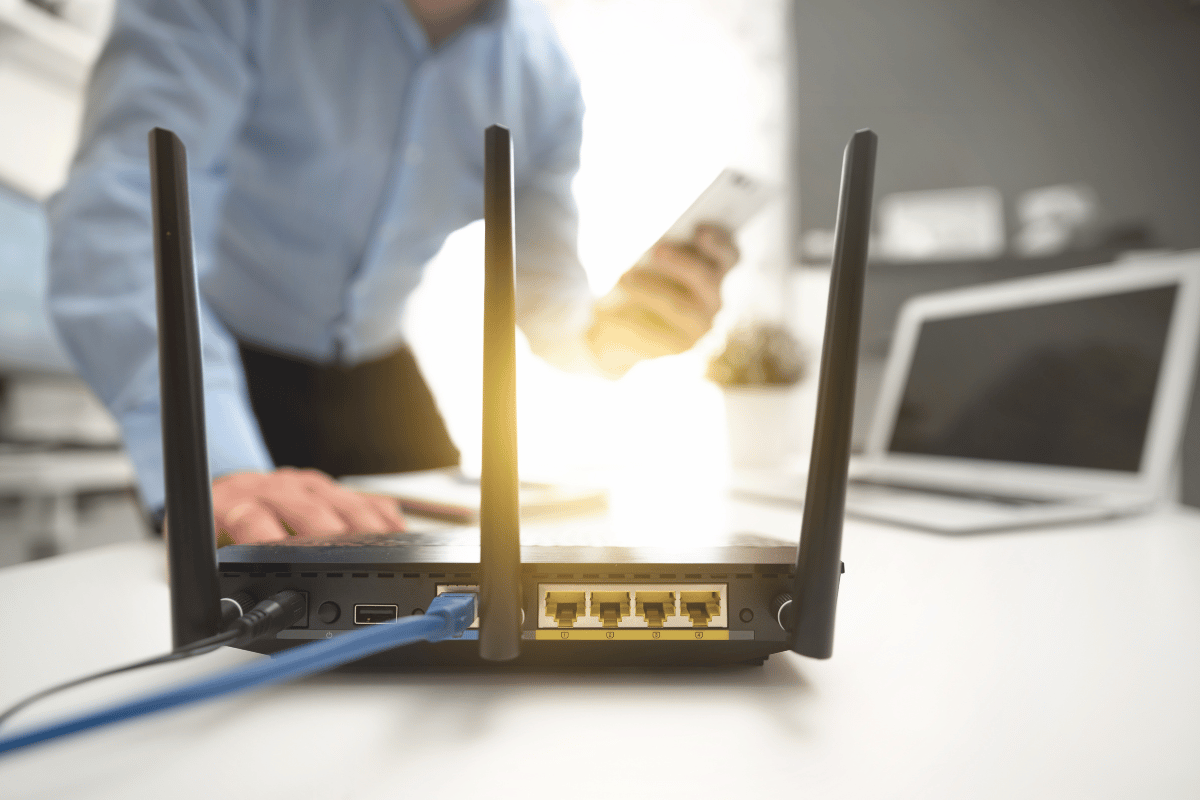
Your router is one of your home’s most crucial pieces of technology. This small device is a piece of network hardware that allows communication between your local home network, such as your computer, tablet, smart TV, or phone, and the Internet.

A router is a device that connects two or more packet-switched networks or subnetworks. It serves two primary functions: managing traffic between these networks by forwarding data packets to their intended IP addresses and allowing multiple devices to use the same Internet connection.

Most routers pass data between LANs (local area networks) and WANs (wide area networks). A LAN is a group of connected devices restricted to a specific geographic area. Usually, it requires a single router, while a WAN is an extensive network spread over a vast area and uses multiple routers and switches.

How a Router Works

Put simply, a router guides and directs network data using packets that contain various types of data such as files, communications, and simple transmissions like web interactions. These packets have several sections, one of which carries identifying information like sender, data type, size, and, most importantly, the destination IP (Internet Protocol) address. The router reads this section, prioritizes the data, and chooses the best route to use for each transmission.

Some Internet service providers may combine a router and a modem within a single device, but these two pieces of technology are not the same. A router forms networks and manages the flow of data within and between those networks. A modem connects those networks to the Internet. Modems maintain a connection to the Internet by converting signals from an Internet service provider into a digital signal that a connected device can interpret. A modem can accept a single device plugged into its Internet connection. A router then helps distribute the connection to multiple devices within an established network, allowing all of them to connect to the Internet simultaneously. If you find your Internet connection is not strong enough throughout your home or you would like to access Internet on your deck or backyard, at Execulink you can add a Mesh Wi-Fi Node additionally to your router. A Mesh Wi-Fi Node connects to your Execulink Premium Router and creates a consistent and fast signal no matter where you are. It increases your connection and expands your Internet coverage to all the hard to reach spots in your house that eliminates slow and patchy Internet.

Types of Routers

There are several types of routers that are useful for different situations. Here are the most common:

Core router – Core routers are generally used by service providers or cloud providers. They provide maximum bandwidth to connect additional routers or switches. Most small businesses will not need a core router, but large corporations may use them as part of their infrastructure.

Edge router – Also called a gateway router, an edge router is a network’s outermost point of connection with external networks, including the Internet. They are designed to connect to other routers to distribute data to end users with maximum bandwidth. They typically only have Ethernet ports and don’t usually offer Wi-Fi or the ability to fully manage local networks.

Distribution router – Also called an interior router, a distribution router receives data from an edge router via a wired connection and sends it on to end users. It typically uses Wi-Fi to perform its functions, though it also generally includes Ethernet ports for connecting users or additional routers.

Wireless router – Wireless routers are a combination of edge routers and distribution routers and are commonplace for home Internet access. Most service providers provide full-featured wireless routers as standard equipment. However, if you have a small business, you may want to use a business-level router for better wireless performance, more connectivity controls, and enhanced security.

Virtual router – Virtual routers are pieces of software that allow some router functions to be virtualized in the cloud and delivered as a service. They are ideal for large businesses with complex network needs as they offer flexibility, easy scalability, and a lower entry cost, plus reduced management of local network hardware.

How to Manage Your Router

For such an important piece of home equipment, managing a router can be elusive at times. Here is how to carry out a few essential functions on your router:

Using an Execulink Router – If you rent an Execulink router, our technical support team manages your router. If you are looking to change your router settings or password, you can by calling us at 1-866-706-2050 or self-sufficiently through your MyExeculink account.

How to access the router admin page – You may need to occasionally access your router as an administrator, such as changing the username or default password or checking other settings. You can access the router through a web browser using either an Ethernet cable or a wireless connection.

1. Identify the IP address of the router. Most routers are manufactured to use a default address. If you don’t know the router’s default IP address or it was changed, you need to find your default gateway IP address.

2. In a web browser, request a connection to the router. You can do this by typing the router’s IP address in the browser’s address bar in the format http://192.168.0.1.

3. Enter the administrative login information (username and password) to authenticate and access the admin settings. If you are logging into a new router, it will have a default username and password. Typically, the word “admin” is the default username, but it could be different for your router. Some might not have a default username or password at all.

You can also access the router admin page from your smartphone by connecting to your Wi-Fi network, installing the mobile app for the router (if applicable), and creating an account or logging in.

How to reset the router – If you forgot your router password or otherwise cannot access the router, you can perform a router reset to restore factory defaults and start over. To reset your router:

1. Locate the Reset button on the back of your router.

2. With the router powered on, use the pointed end of a paperclip or similar object to press and hold the Reset button for 15 seconds.

3. Wait for the router to fully reset and power back on. The router will default to its factory settings.

A router is an essential piece of technology because it shares your Internet connection with multiple devices and can manage all your network devices from one central point. Execulink provides top-of-the-line routers with each of our Internet plans, enabling you to provide a fast connection to each device in your home. Contact Execulink today to learn more about our home Internet plans and how a fast Wi-Fi connection can benefit your lifestyle.

How upgrading to Fibre Internet can increase your business’s revenue

In today’s digital age, having a reliable and fast Internet connection is crucial for small businesses looking to stay competitive. The Internet has become an integral part of running a business, from communication and collaboration to marketing and sales. However, not all Internet connections are created equal. While traditional Internet options like DSL and cable may be sufficient for some businesses, others require something faster and more reliable. That’s where Fibre Internet comes in.

Fibre Internet, also known as Fibre-optic Internet, is the fastest and most reliable Internet option currently available. It uses thin glass or plastic fibers to transmit data, which allows for lightning-fast speeds and minimal latency. For businesses looking to increase productivity, improve customer service, and boost revenue, upgrading to Fibre Internet can be a game-changer.

Benefits of Fibre Internet for small business:

Increased productivity

With Fibre Internet, employees can work faster and more efficiently. With speeds of up to 1 Gbps and symmetrical speed options, Fibre Internet is well-suited for businesses running applications that require low latency and high upstream bandwidth, such as large data backups and sensitive voice and video. They can easily access large files, use cloud-based software, and collaborate with colleagues in real time. This means that your employees can complete tasks faster and more efficiently, significantly increasing productivity, which can translate into tangible cost savings for your business and ultimately help the business to generate more revenue.

In addition to increasing productivity, Fibre Internet can also help your business save money in other ways. For example, Fibre Internet is more reliable than other types of Internet, which means that your employees are less likely to experience disruptions or downtime. This can help reduce the cost of lost productivity, as well as the cost of troubleshooting and fixing Internet issues.

Improved customer service

Fibre Internet allows for faster and more reliable communication with customers. With Fibre Internet, businesses can handle customer inquiries and concerns more quickly and efficiently. This can lead to a better customer experience, as customers will not have to wait as long for a response or resolution to their issue. Additionally, Fibre Internet is less likely to experience connectivity issues or outages, which means that businesses can provide more consistent and reliable customer service. This can increase customer loyalty, as customers will know that they can count on the business to provide quick and reliable service. Repeat business is also more likely as customers will be satisfied with the service they received.

Better marketing

Having a fast Internet connection can help businesses to improve their online presence. With Fibre Internet, businesses can create and share high-quality content, such as videos and images, more quickly and efficiently. This can be crucial for businesses that rely heavily on visual content, such as e-commerce sites, graphic designers, and photographers. Additionally, businesses can run online ads and engage with customers on social media more effectively, as Fibre Internet allows for faster loading times and fewer connectivity issues. This can lead to increased brand awareness and ultimately more sales, as more customers will be exposed to the business’s products or services.

Better access to a global market

With the fast Internet speed of Fibre Internet, businesses can expand their market to a global scale, this will increase the chances of finding new business opportunities and customers. For example, businesses can participate in online marketplaces and reach customers from all over the world, or use video conferencing to communicate with international clients and partners.

Reduced downtime

Fibre Internet is more reliable than other types of Internet and is less likely to go down. This can help to reduce downtime and ensure that your business can continue to operate smoothly, even during times of high demand. For example, if a business relies heavily on an e-commerce platform, any downtime could mean lost sales. With Fibre Internet, businesses can minimize downtime and ensure that their online presence is always available to customers. This can help to reduce lost revenue and maintain customer trust.

Upgrading to Fibre Internet is a smart investment for small businesses looking to stay competitive in today’s digital landscape. It can increase productivity, improve customer service, and boost marketing efforts, while also helping businesses to expand their reach and reduce downtime. With Fibre Internet, businesses can take advantage of all that the Internet has to offer, from cloud-based software and remote collaboration to online marketing and global market expansion. If you’re a business owner looking to take your company to the next level, consider making the switch to Fibre Internet. With its lightning-fast speeds, reliability, and ability to support all the digital needs of a business, it can be the key to unlocking new opportunities and revenue streams for your business.

To learn more about how Fibre Internet can benefit your business, please visit our website or contact us at 1-877-561-6771 for a consultation.

Learn more about Fibre Internet for your business

Humans of Execulink: Andrea Atkinson

Andrea Atkinson is the Vice President of Customer Experience at Execulink. She is an experienced leader and is dedicated to ensuring that every customer feels heard and valued. Throughout this Human of Execulink blog, you will have the opportunity to learn more about Andrea’s background, her role, and what makes her enjoy working at Execulink.

How long have you worked at Execulink and what are your daily activities?

I’ve worked at Execulink for almost 6 years.  Every day I get to work with really smart people to deliver a great experience to our customers and find ways make our processes as efficient and effective as possible.  There is a lot of variety in my job so it’s very interesting and keeps me on my toes.

How have you found our business culture to be?

We are proud of our Values and we strive to live them in our actions.  We are accountable to our customers, our employees, and our ties to our local communities are very important to us.

What is the most unusual aspect of working at Execulink?

Execulink has about 220 employees.  Our size allows every person in the organization the opportunity to make a meaningful difference.  During a company meeting a front line employee suggested a change.  The next week it was implemented!

What is one item you learned in the previous month, whether connected to telecommunications or not?

I’ve just started working with the Installation & Repair team so I am learning a lot about how they stay safe.  A bump cap is like a baseball cap but it has a hard plastic shell inside and protects against minor impacts.

One thing you would tell your 13-year-old self, what would it be?

Don’t be afraid to do what scares you, that is where you can learn and grow the most.

Learn more about our current employment opportunities!

Benefits of Synchronous 1 Gbps Fibre Internet

Are you in need of fast and reliable Internet for your home? Look no further than a synchronous 1 gigabit (Gbps) download by 1 gigabit (Gbps) upload Fibre Internet connection.

View our NEW Fibre Packages

Fibre optic Internet, which uses thin strands of glass or plastic to transmit data at incredibly high speeds, is quickly becoming the preferred choice for both residential and commercial Internet users. And for good reason – the benefits of a synchronous 1Gbps Fibre Internet connection are numerous.

What is Upload Speed?

Upload speed refers to the rate at which data is transmitted from a device to the Internet, while download speed refers to the rate at which data is received by a device from the Internet. A device with a high upload speed can send large amounts of data quickly, while a device with a high download speed can receive large amounts of data quickly. Having a 1 Gbps upload speed is beneficial because it allows for faster transfer of large files such as videos and high-resolution images, as well as smooth streaming of live events. Additionally, it also allows for faster and more reliable communication through video conferencing and other real-time applications.

Benefits of Synchronous 1 Gbps Fibre Internet

First and foremost, the speed of a 1Gbps by 1Gbps Fibre Internet connection is unparalleled. With download speeds of up to 1,000 megabits per second (Mbps) and upload speeds of up to 1,000 Mbps, you’ll be able to do everything you need online with lightning-fast speed. Whether you’re streaming high-definition video, playing online games, or working from home, a 1Gbps by 1Gbps Fibre Internet connection can handle it all without any lag or buffering. In addition to speed, a synchronous 1Gbps Fibre Internet connection is also extremely reliable. Unlike traditional Internet connections that can be prone to disruptions due to factors like bad weather or physical damage to the cables, Fibre optic Internet is much more stable. This means you can count on a consistent, high-quality connection for all of your online activities.

Our 1 Gbps synchronous plan offers the same upload and download speed, while our 1 Gbps by 200 Mbps plan offers faster download speed and lower upload speed. In general, having a synchronous plan can be beneficial for individuals or businesses that rely on uploading and downloading large amounts of data at the same time, such as streaming high-definition video, uploading large files to the cloud, or running a server. For an extra $25/month, the 1 Gbps synchronous plan allows you to both upload and download large files at the same time with high speed, and would not have to worry about any bottleneck in either direction.

The $125/month price point for a 1 Gbps synchronous Fibre Internet plan may seem like an investment, but when compared to the cost and benefits it provides, it is actually quite affordable compared to competitors. Keep in mind that 1 Gbps Internet is considered to be the fastest available and this level of speed and reliability is essential for many businesses, and it’s also becoming increasingly necessary for individuals who use the internet for activities such as streaming high-definition video, online gaming, and working from home.

Overall, a synchronous 1Gbps by 1Gbps Fibre Internet connection is a top choice for anyone looking for fast, reliable, and multi-device-friendly Internet for their home. If you’re ready to upgrade to the best in Internet technology, consider switching to one of Execulink’s new affordable Fibre Internet plans today!

Self-upgrade your Fibre package through your MyExeculink account!

How to Boost Productivity with the Right Business Telecom Solutions

As a business owner or manager, you know that productivity is key to success. One way to boost productivity is by investing in the right business telecom solutions. From reliable phone systems to fast and reliable internet, the right telecom tools can make all the difference in how efficiently your team is able to work. In this blog post, we’ll explore some key considerations for choosing the right business telecom solutions, and offer some tips for maximizing their productivity-boosting potential. Whether you’re in need of a telecom overhaul or just looking to make a few targeted upgrades, these tips will help you take your business to the next level.

  • Choose the right phone system: A reliable and feature-rich phone system is essential for any small business. Look for a system that offers advanced features such as voicemail, call forwarding, and conference calling, as well as good call quality and reliability.
  • Invest in high-speed internet: A slow or unreliable internet connection can be a major productivity drain. Invest in a high-speed internet connection to ensure that employees can access the information and resources they need without delays.
  • Implement unified communications: Unified communications (UC) systems integrate different communication channels, such as email, voice, video, and chat, into a single platform. This can make it easier for employees to communicate and collaborate, boosting productivity.
  • Enable remote work: With the right telecom solutions, it’s easier for employees to work remotely. This can help businesses save on overhead costs and allow employees to work from anywhere, increasing productivity and flexibility.
  • Use collaboration tools: Collaboration tools, such as project management software and video conferencing platforms, can help teams stay connected and work together effectively.

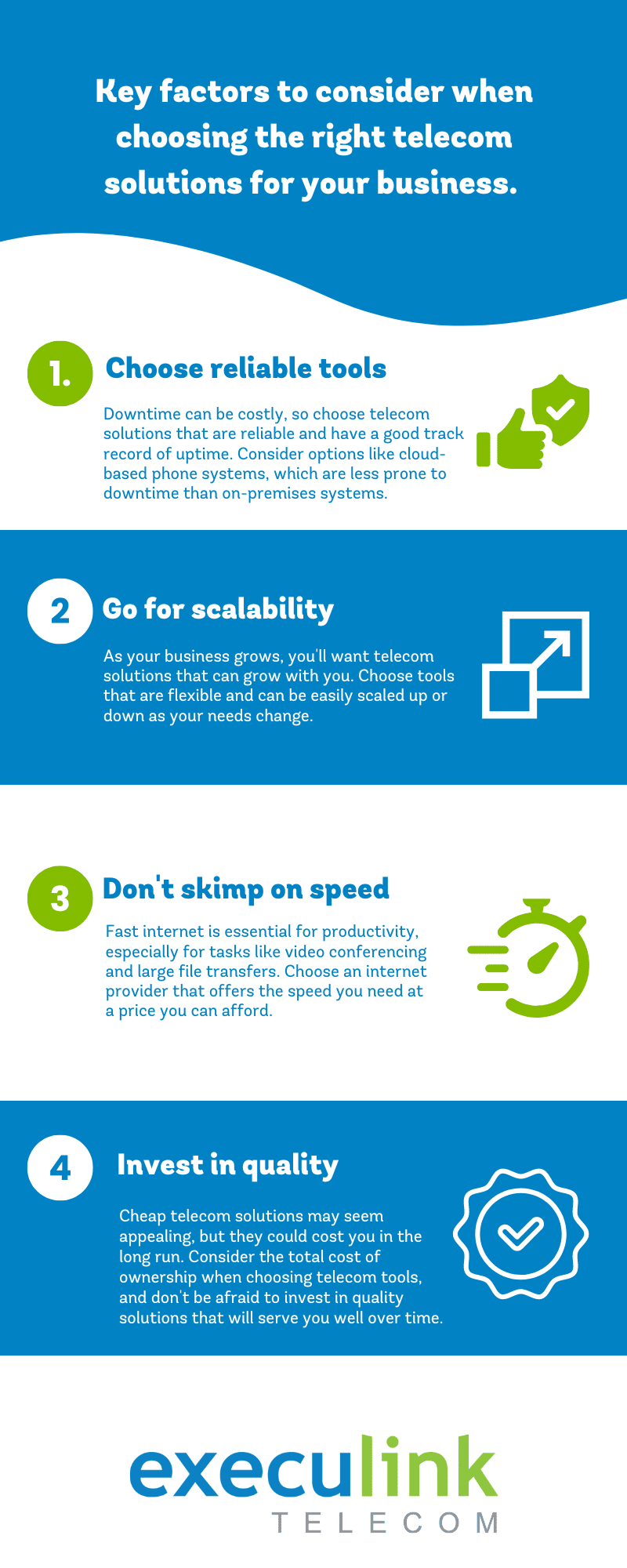
Don’t forget! When you are choosing telecom solutions remember to consider key factors like reliability, scalability, and cost, so you can make informed decisions about the telecom solutions that will best meet the needs of your business.

Overall, investing in the right business telecom solutions can have a major impact on productivity. Whether you’re in need of a new phone system, faster internet, or both, choosing the right tools can help your team work more efficiently and effectively. With the right tools in place, you’ll be well-equipped to boost productivity and drive your business to success.

Call us at 1-877-561-6771 today or visit our Business Solutions page to find the right telecom solutions for your business.

Contact Us Today!

Up Your Game with a Faster Upload Speed

Many Internet service providers focus heavily on download speeds, and with good reason – many users are more interested in how quickly they can get data from the Internet than they are in how long it takes to send data. However, upload speeds are also important in deciding on your ideal Internet plan; in some cases, they may be even more important than download speeds. A slow upload speed can cause your Internet to slow down overall, so if you engage in online gaming, work from home, or have several people in your house, a faster upload speed can be a game-changer. Let’s learn more about the benefits of a faster upload speed and how it can be helpful for your Internet connection.

The Difference Between Upload and Download Speeds

Internet plans are constantly throwing around numbers for upload and download speeds that might confuse customers who are not technologically inclined. So, what’s the difference between upload and download speeds?

Upload speed refers to how quickly data travels between your computer and your network. It is used for everything from streaming video calls to sharing files to gaming. Download speed refers to how quickly your Internet connection can retrieve data from the Internet. It is used for things like watching streaming services and listening to music. Put simply; download speed refers to how quickly you receive information over the Internet, while upload speed refers to how fast you send data over the Internet.

Why Does Upload Speed Matter Anyway?

Upload speeds are essential for many different Internet uses. Recently, requests for faster upload speeds have dramatically increased as more adults are working remotely. When you work from home, upload speeds matter when you regularly make VoIP phone calls and video calls on software like Zoom or Microsoft Teams or work with cloud-based services like Dropbox or WeTransfer.

Upload speeds are also important for recreational purposes, especially gaming. If you are playing in real-time, streaming on Twitch, or trying to upload a video to YouTube, a fast upload speed will ensure that everything goes smoothly. Even entering information in a search bar, “liking” someone’s video or picture, or submitting homework online requires uploading data. Granted, some of these things require faster upload speeds than others, but they all make use of upload speeds, nonetheless.

Benefits of a Faster Upload Speed

When determining whether a faster upload speed would be beneficial, there are many different contexts to consider that will depend on what you primarily use your Internet connection for. There are several benefits to opting for a faster upload speed:

Gaming – It is generally agreed that upload speed is more important for online gamers than it is for regular Internet users who may just use their Internet connection for browsing social media or streaming. This is because when you are gaming, you are constantly sending data to the server, whether by in-game actions or messages to other players during a multiplayer game. A fast upload speed ensures that all data is sent quickly and seamlessly.

Large families – When you have several people all sharing one Internet connection, a faster upload speed can make a huge difference in how quickly your Wi-Fi connection operates. You may find that the speed is fine during the day, but as soon as the kids get home, it becomes sluggish due to the number of people on the Internet. A faster connection is even more critical if you are working at home while others use the same connection. A faster upload speed will ensure that everyone in the house can still do whatever they need to do on the Internet.

Remote work – For adults who work from home, a good upload speed is crucial for attending video conferences and uploading files. Many factors will play into precisely how much you need, such as the applications you use for work, the number of large files and media you handle, and, most importantly, the number of other people using your Internet connection.

Live streaming – Whether you are a social media influencer or post YouTube videos regularly with gaming or other subject matter, a high upload speed is essential for getting your material up on the Internet. A fast upload speed will ensure that your material makes it onto your social media in no time. With a slow upload speed, your videos and pictures will take a long time to post and may get interrupted by other people using your network or if you go out of range.

Improve Your Internet Experience with Ultra-Fast Upload Speeds

Determining how fast an upload speed you need will depend on how you use your Internet. A lower upload speed will suit your purposes if you only require it for basic web browsing and email. However, if you use more data-hungry services, you will need an upload speed to keep up. You will also want to increase your upload speed if several people are in your house since they all share the same Internet connection.

A good standard for upload speed is generally 25 Mbps, but if you frequently send data, consider a Fibre-optic connection to increase your speed even more. Execulink offers Fibre Internet packages starting at just $60 a month for 30 Mbps upload speeds, all with our signature unlimited usage. The plans only go up from there – our next plan offers 50 Mbps upload speeds, while our highest speed offers 1 Gbps.

Fibre Internet is an excellent choice for individuals and families looking for a reliable Internet connection. Fibre optic technology has been used for years in large businesses, giving it a proven track record as a powerful, reliable Internet option. Most importantly, it supplies high-speed Internet with fast upload speeds for a reasonable price.

If you want to upgrade your Internet plan for faster upload speeds, get in touch with Execulink today!

Check out our Internet plans!

How to Transfer Files Securely Over the Internet

Transferring files over the Internet has been mainstream for businesses for years because it’s fast, easy, and convenient. However, if those files contain sensitive personal data, financial information, trade secrets, or marketing strategies, you wouldn’t want them to fall into the wrong hands.

Businesses that deal with file sharing need a secure way to transfer files over the Internet. Luckily, there are many options with security features ranging from simple link sharing to passwords and expiry dates.

Email File Sharing Solutions

Email is the most common way to share files over the Internet. Many email services have a restriction on the size of file attachments, but they are a good solution for files that are a reasonable size. Here are a few of the popular ones:

GmailGmail limits the attached file size to 25 MB and automatically places anything exceeding that into Google Drive. By default, the file is available for viewing, but you can allow the person to review or edit the file.

Yahoo MailIf you try to send a large file through Yahoo Mail, an alert will prompt you to save the file to either Google Drive or Dropbox, after which you can share the file attachment.

OutlookOutlook limits the attached file size to 33 MB and prompts you to upload and share the file using OneDrive if it exceeds that.

Third-Party File Transfer Sites

Another way to transfer files securely over the Internet is by using a third-party file transfer website, which houses the file online and sends the recipient a download link. They are often used for medium-sized files that may be too large for email. Here are a few of the popular ones:

DropSendDropSend offers three personal plans. The Basic plan gives you 10 GB of online storage with up to 25 sends a month. The Standard plan gives you 25 GB of storage with up to 50 sends a month. The Professional plan gives you 25 GB of storage with unlimited monthly sends and other advanced features.

MyAirBridgeWith MyAirBridge, you can upload a file and email a link to share with a specific recipient or upload the file and generate a link to share with anyone. You can send a file up to 20 GB for free, while paid plans allow up to 100 GB.

FilemailFilemail offers a free plan that allows files up to 5 GB. The Filmail Pro plan gives you up to 25GB of online storage, while the Business plan gives you unlimited file size.

WeTransferWeTransfer is popular because it is very user-friendly –select the file, add the email address, and compose your message before clicking Transfer. The free ad-supported account allows files up to 2 GB, or you can pay for the WeTransfer Pro account, which gives you up to 20 GB plus other features.

Send AnywhereSend Anywhere is an ad-supported file transfer site that can send files up to 10GB for free. Once uploaded, each file is secured with a six-digit key before sending an email. For larger files, the Sendy Pro plan can support up to 50 GB.

Bitwarden SendBitwarden is known for being a secure site for storing passwords and other data, and its file-sharing service further supports the claim. You can set specific file-sharing options, such as a deletion date, expiration date, and password. When you save, it uploads the file to Bitwarden, after which you can send the link to others who download the file through that link.

WormholeWormhole allows you to share files up to 10 GB using end-to-end encryption and links that automatically expire. When you upload the file and generate a link, you can share it with your recipient, but the link will automatically expire after 24 hours.

Cloud File Sharing Solutions

For large files, your best bet is to invest in a cloud-based file-sharing service, which works across multiple devices and allows you to collaborate with others, but often costs more than their email and website counterparts. Here are a few of the popular ones:

DropboxDropbox gives you 2 GB of cloud storage for free, while paid plans allow up to 2 TB. With this service, you can share files from the main Dropbox app on the web, your computer, or your phone, or through a tool called Dropbox Transfer, which has a few added features. Your recipients do not need their own Dropbox account unless they want to collaborate on the file.

Google DriveGoogle is connected to various services, including Google Drive, Gmail, and Google Photos, and shares its cloud storage across them. You can get 15 GB of cloud storage for free, while paid plans start at $2 a month for 100 GB of storage and increase from there. Google Drive is renowned for enabling collaboration but does not have options to set expiry dates or passwords.

OneDriveOneDrive gives you 5 GB for free, while paid plans start at $2 a month for 100 GB of cloud storage and increase from there. It is a good option for those who spend a lot of time in Windows or Microsoft Office since it handles collaboration on Office files with others in real time. Files can be set as read-only or edit-enabled as needed.

iCloudiCloud gives you 5 GB of storage for free with an Apple ID, while paid plans start at $2 a month for 50 GB. If you and your contacts all exclusively use Apple hardware, then iCloud is a good option for sharing files because it’s built-in. Files can be set as read-only or edit-enabled as needed, but it does not have options to set expiry dates or passwords.

When dealing with sensitive personal or business information, it pays to have a file-sharing solution that can cater to your needs. Whether you choose an email, website, or cloud-based file-sharing service, ensure that your files have adequate protection to stay secure.

Looking for intelligent Internet services for your business? Execulink can help your business succeed with Business Internet, Voice, Network, TV and Mobility solutions.

The Internet Services You Deserve
Affordable. Reliable. Lightning fast.

We’re proud to provide the communities we know, love, and live in, with the reliable Internet, TV, Phone and Mobility services they deserve.

  • Your local choice for residential and business telecommunication services
  • Renowned 24/7 customer service you can depend on
  • Affordability, service, integrity and transparency are the pillars of our business

Here to help. 24/7.

Sales Inquiries

Sales: Mon-Fri 8AM-8PM, Sat 8AM-5PM

(866) 706-1991

Support Inquiries

Technical Support: 24/7, Customer Care: Mon-Sun 7AM-11PM

(866) 706-1994

Online Help

Chat With Us

We'll respond as soon as we can!

Email Us

We'll get back to you as soon as possible.

Support Centre

Find the answer to your question.

Check availability

Enter your address to find services and offers available to you!